
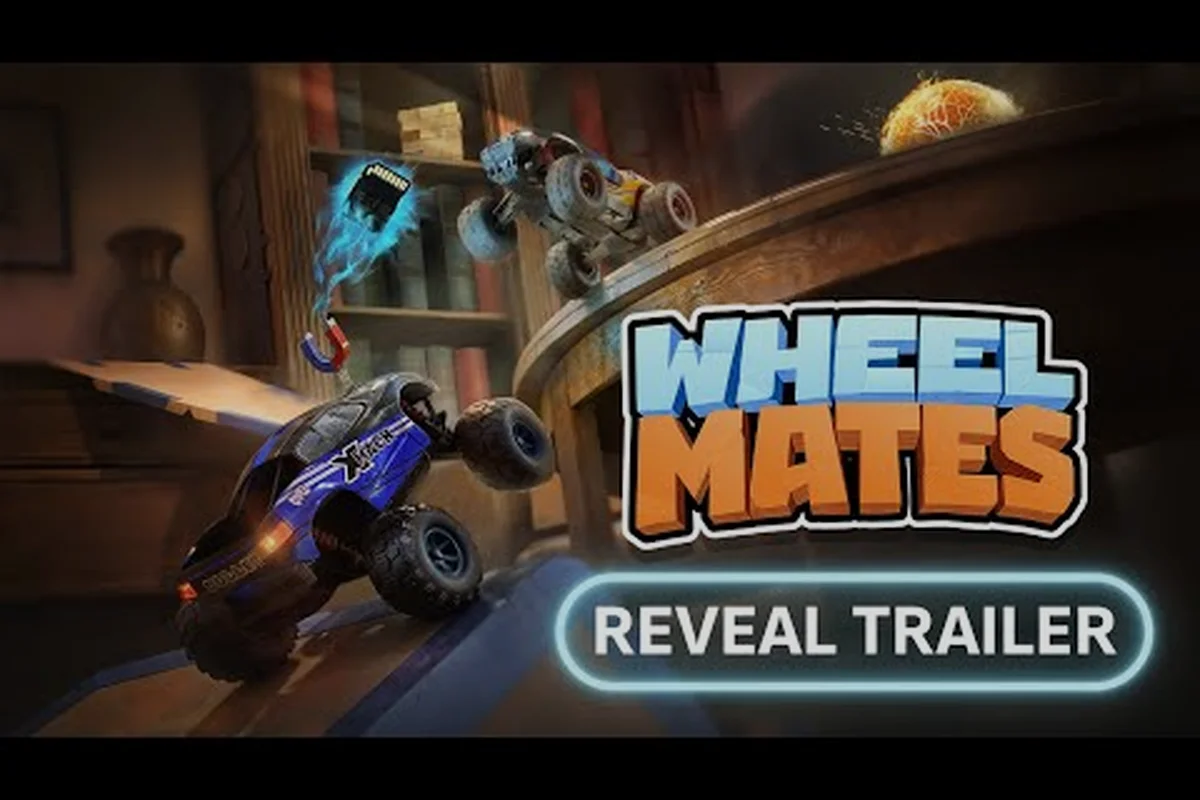
WheelMates for kids is one of the safest co-op games to bring to a family game night, because it's designed so that a seven-year-old and a parent can actually play together without frustration. Developed by Firevolt Studio, the game drops you into a professor's laboratory where two RC cars — each controlled by a different player — swing on ropes, pull objects with a magnet grab, and drive across magnetic walls to solve puzzles as a team. The whole experience is built around shared play, which is why wheelMates for kids has become a natural pick for families counting down to the full release on September 1, 2026.
The value here is real: most co-op games punish the weaker player, but WheelMates rewards cooperation over raw skill. The demo, which went live in early August and was pulled on August 3, 2026, already showed how forgiving the design is — there's no complex camera control, no harsh fail, and no reading required for the core puzzles. If you're searching for a wheel family-friendly family guide that explains the mechanics in plain language, this article covers everything from the first two cars to the final lab escape.
Why WheelMates for Kids Is the Co-op Game Families Love
WheelMates for kids works because every puzzle in the professor's lab requires both cars to act together. One player might pull a rope with the Magnet Grab while the other swings across on a Rope Launcher, or one car activates a magnetic plate while the other drives up a wall. This means a younger player never feels like they're just along for the ride, and an adult never feels like they're carrying the whole session. The two-player focus is what makes the game feel fresh compared to other family-friendly puzzle titles, and it's the reason the wheel family guide community has grown so quickly around it.
What makes the game especially good for kids:
-
No reading required — the game uses visual cues and simple icons, so pre-readers can jump in.
-
Shared screen co-op — both cars stay on the same screen, so nobody gets lost.
-
Forgiving physics — cars tumble and bounce instead of breaking, which keeps frustration low.
-
Short, snappy levels — each room is small enough for a quick session before bedtime.
The game was revealed at the Future Games Show, and that showcase segment pulled in over 192,000 views, which tells you how much appetite there is for a friendly co-op adventure. Players who tested the demo reported that the two-car dynamic is the most natural part of the experience, and that the game shines when both players are willing to talk through each puzzle. That kind of communication is exactly the skill families want to encourage on game night.
A WheelMates Family Guide: The Professor's Lab and Its Secrets
The professor's laboratory is the setting for the whole adventure, and it's a wonderfully chaotic space filled with gadgets, ropes, and magnetic platforms. According to the official WheelMates website, the lab is home to the two RC cars and is packed with rope-swing puzzles, magnetic wheels, and a magnet grab gadget that lets the cars pull objects toward each other. The environment is colorful and cartoonish, which makes it easy for kids to understand what's interactive and what's just decoration.
The Two RC Cars and Their Gadgets
Each player controls one of the two cars, and each car has a different gadget that changes how you approach the puzzles. This is a key part of the wheel family guide, because knowing who does what makes the whole session smoother.
| Car | Gadget | Best For |
|---|---|---|
| Car A | Magnet Grab | Pulling objects, opening doors |
| Car B | Rope Launcher | Swinging across gaps, climbing |
The Magnet Grab is the more intuitive gadget because it works like a simple "pull" button, which younger players pick up almost immediately. The Rope Launcher takes a little more practice because you need to aim and time the swing, which is where the wheel's learning the ropes really comes into play. In the demo, players found that the magnetic wheels let the cars drive up walls, adding a vertical layer to the puzzles that kids love to explore.
The 18 SD Card Collectibles
One of the most talked-about features from the demo was the 18 SD cards hidden throughout the lab. According to community reports, the demo included all 18 cards, and finding 17 of them became a hot topic on the Steam Community because the last one was so tricky. These collectibles are a great way to encourage exploration, and they give kids a clear goal beyond just finishing the puzzles. The full release on September 1, 2026 will likely expand the collection, but the system already feels rewarding for families who love to hunt for secrets.
WheelMates Learning the Ropes: Simple Controls for New Players
If you're looking for a wheel to learn the ropes, the control scheme is refreshingly simple. Each player uses a small set of buttons — drive, gadget, and interact — and there's no complex camera control to manage. The demo, which was covered in the IGN impressions video, highlighted that the game uses same-keyboard co-op, meaning both players can share one keyboard on PC. That's a huge win for families who don't own two controllers, and it makes the game much more accessible for a quick setup.
The IGN demo impressions also noted some camera handling quirks, especially when the two cars moved far apart. The developer has been listening to that feedback, and the full release is expected to smooth things out. For now, here's a quick breakdown of the core controls:
| Control | Button | Notes |
|---|---|---|
| Drive | Arrow keys / WASD | Both cars share the screen |
| Gadget | Space | Use Magnet Grab or Rope Launcher |
| Jump | E | Clear small obstacles |
| Interact | Q | Open doors, activate switches |
The controls are simple enough that a non-gamer can pick them up in a few minutes, and the key is to practice the Rope Launcher first because it's the one mechanic that requires timing. If you want a deeper dive into every button and the common mistakes, check out our wheelmates controls guide, which walks through the setup in detail.
Camera Handling Tips for Young Players
The camera in the demo was a point of feedback, but there are ways to make it easier for kids. First, keep the two cars close together, because the camera zooms out when they're far apart, which can be disorienting. Second, use the Magnet Grab to pull a stuck car toward you, which also helps the camera settle. And third, if the view gets too wide, just pause for a second and let it recenter. These small habits make a big difference for younger players who are still getting used to the game.
A WheelMates Roadmap for Beginners: Your First Sessions
If you're planning a family game night, having a wheel roadmap for beginners makes the whole experience smoother. The game is designed for short bursts, so you don't need to block out a whole evening. Here's a session-by-session plan that works well, based on what players reported from the demo:
| Session | Time | What to Focus On |
|---|---|---|
| Session 1 | 15 minutes | Learn to drive and use the gadgets |
| Session 2 | 20 minutes | Master the Rope Launcher swing |
| Session 3 | 30 minutes | Hunt for the 18 SD cards |
| Session 4 | 30 minutes | Solve the two-player puzzles |
The first session is all about getting comfortable with the two-car control. Let each player drive around the lab for a few minutes without any goals, just to feel the physics and the magnetic wheels. The second session is where the Rope Launcher becomes important, and this is where you'll want to practice the swing timing. By the third session, you can start hunting for the SD cards, which is a fun way to keep kids engaged. The fourth session is where the real puzzles come together, and that's when the co-op design really shines.
Session 1: The First 15 Minutes
The first 15 minutes are the most important for building confidence. Start by letting each player drive around the lab and experiment with the Magnet Grab on a few objects. Don't worry about solving puzzles yet — just let the kids explore and get a feel for the physics. This is the best way to build confidence before the real challenges begin, and it's also a great moment for parents to see how the two cars interact.
Session 2: The Rope Swing
The Rope Launcher is the hardest mechanic for new players, so plan to spend a little extra time here. Start with a single rope and practice the timing, then move to longer swings. If your kid is stuck, have them watch you do it once, then try again themselves. The swing is a skill that clicks quickly, and once they have it, the whole lab opens up. For more structured help, the wheelmates beginner guide breaks down the early levels step by step.
A WheelMates Non-Gamer Guide for Parents and Grandparents
If you're a parent or grandparent who hasn't played a game in years, this wheel non-gamer guide is for you. The game's controls are forgiving, and the two-car design means you're never alone — if you get stuck, the kid can pull you with the Magnet Grab. The key is to start slow and let the game ease you in, rather than trying to master everything at once.
Here are a few tips for non-gamers:
-
Don't worry about the camera — the game handles it automatically, so you just focus on driving.
-
Use the Magnet Grab — it's the easiest gadget and it's useful in almost every puzzle.
-
Let the kids lead — they'll often solve puzzles faster than you, and that's a good thing.
-
Take breaks — the game is short, so you can stop anytime without losing progress.
The co-op design means you're never on your own, and that's the whole point. The game is a great way to connect with your kids, and it's a lot more fun than you might expect. If you're curious about the story behind the two cars, our wheelmates family story guide dives into the world and the characters that make the lab feel alive.
Frequently Asked Questions
Is WheelMates for kids suitable for young children?
Yes, WheelMates for kids is designed to be family-friendly. There's no violence, no scary content, and the puzzles are simple enough for a seven-year-old. The game's cooperative design means kids can play with a parent or sibling, and the colorful lab setting is inviting rather than frightening.
Do I need two controllers to play WheelMates?
No, you can play with a single keyboard using the same-keyboard co-op feature. Both players share the same keyboard, with one using the arrow keys and the other using WASD. If you have two controllers, you can use those instead, but they're not required.
How long does it take to finish WheelMates?
The demo included a few levels and 18 SD card collectibles, and the full game is expected to be longer. Based on player reports, a typical level takes about 30-45 minutes, so the full game should take a few hours to complete. The collectibles add replay value for families who love to explore.
What is the best way to teach the rope swing to a kid?
Start with a single rope and practice the timing. The key is to press the swing button at the bottom of the swing arc, not the top. Once they get the rhythm, they'll be able to swing across the lab easily. Patience is important, and the game is forgiving enough to let them try again.