
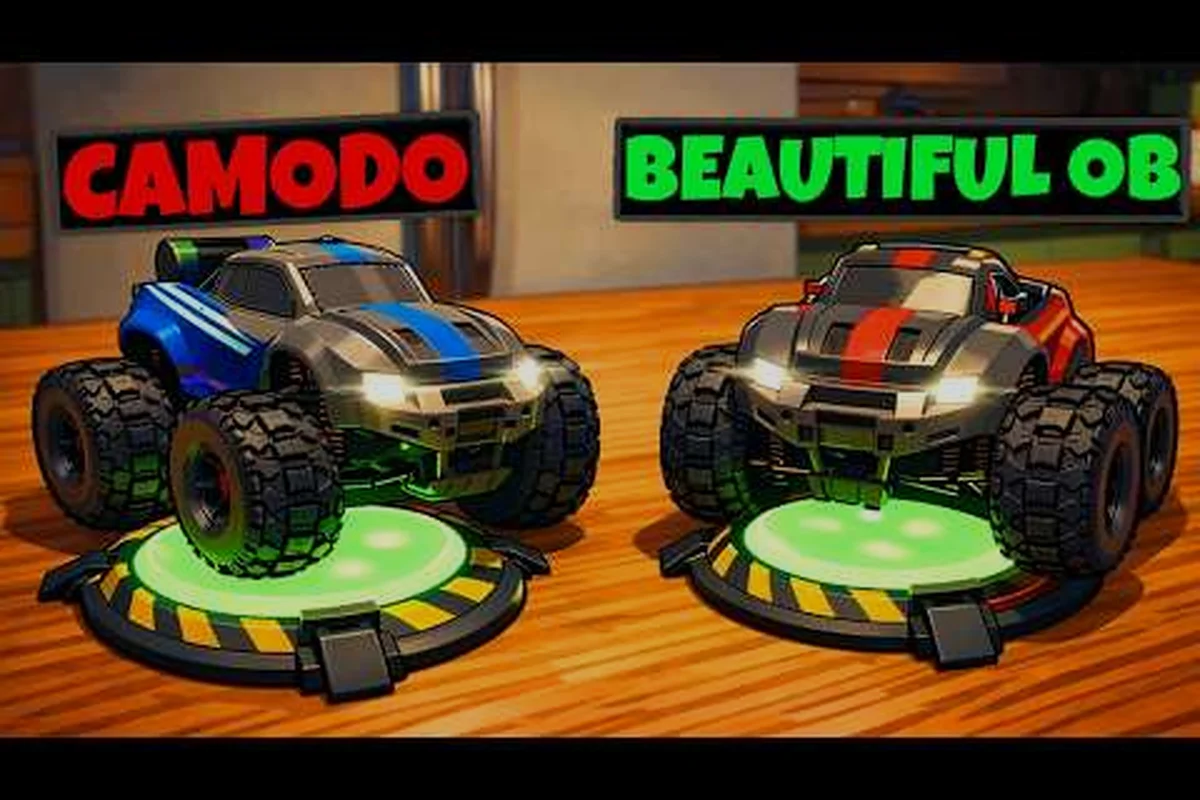
WheelMates same couch co-op is the best way to play this RC adventure with a couple. Launching September 1, 2026, it's built around two players sharing one screen, one keyboard, or two controllers. Because the entire campaign is designed for two drivers, the same-couch experience isn't a side feature — it's the core of the game, and that's why it stands out as the best co-op game 2026 has for local play.
Why WheelMates Same Couch Co-op Is the Ultimate Couch Experience
WheelMates same couch co-op turns the professor's home into a shared puzzle playground, and it works because the game doesn't just split the screen — it splits the problem-solving. Each player controls a separate RC car with its own gadget set, including the Rope Swing, the Magnetic Wheel, and the Magnet Grab, and most puzzles require both cars to act together. That means the person sitting next to you is an active partner, not a spectator, which is exactly why the same-couch format feels so rewarding.
The official WheelMates Release Date Trailer confirms the September 1 launch and shows the two cars working in tandem through the house. Community reports from the June 26-28 Backyard closed test, along with Camodo Gaming's demo gameplay footage, highlight how the same-screen setup creates genuine tension — like one player holding a magnetic platform while the other swings across a gap.
-
True shared-screen design: both cars appear on a single screen with a follow camera, so you always know where your partner is.
-
Mixed input support: one player can use a keyboard while the other grabs a controller, removing the "who gets the good controller" argument.
-
No split-screen complexity: the camera keeps both cars in view, so you never lose track of your teammate mid-puzzle.
This is exactly why WheelMates same couch co-op stands out as the best co-op game 2026 has offered for local players — it rewards the person next to you, not the friend on your list.
How Same Couch Co-op Works: Inputs, Screens, and Setup
Setting up WheelMates same couch co-op is straightforward, but the input options matter more than you'd expect. The game supports mixed input co-op, meaning Player 1 can use a keyboard and mouse while Player 2 grabs a controller, or both players can use controllers if you have two. That flexibility is a huge win for couples because it lets each person play with the setup they're most comfortable with, and it also means you don't need to buy extra hardware to get started.
| Input Setup | Player 1 | Player 2 | Best For |
|---|---|---|---|
| Keyboard + Controller | Keyboard & Mouse | Any Gamepad | Mixed comfort levels |
| Dual Controllers | Gamepad A | Gamepad B | Symmetric comfort |
| Dual Keyboards | WASD + Space | Arrow Keys + Shift | No controller available |
| Controller + Keyboard | Gamepad | Keyboard & Mouse | Reversed preferences |
The camera system is the other thing to understand before you start. WheelMates uses a follow camera that keeps both cars in frame, and you can switch to a free camera for a wider view of the room. According to community testing on the demo, the follow camera mode works best for same-couch play because it keeps both cars on screen, while the free camera is more useful when you're scanning for hidden SD Cards or planning a route. You can also adjust the camera sensitivity and steering sensitivity in the settings to match each player's preference, which is covered in more depth in the WheelMates game modes guide.
Keyboard and Controller Pairings
The most common setup is one keyboard and one controller, and it works flawlessly in the demo. Player 1 uses WASD and the primary gadget button, while Player 2 uses the controller's sticks for movement and the face buttons for their gadget. Because the game assigns each gadget to each car, the input mapping stays clean — you never have to worry about both players triggering the same action at the same time.
Camera Modes for Two Players
When you're on a single screen, the follow camera is the default recommendation because it keeps both cars in the frame. The free camera is useful for scouting a room before you start a puzzle, but it requires more communication to keep track of both cars, so most teams stick with the follow mode during active puzzle-solving.
WheelMates Co-op for Couples: Roles, Communication, and Fun
WheelMates co-op for couples is one of the most compelling reasons to pick up the game. The design naturally encourages role-splitting — one player can be the "driver" who handles momentum and navigation, while the other becomes the "gadget specialist" who focuses on timing and positioning. This division of labor mirrors how many couples work together in real life, which makes the game feel less like a challenge and more like a shared project.
| Role | Primary Gadget | Best For | Example Puzzle |
|---|---|---|---|
| The Driver | Magnetic Wheel | Navigation and momentum | Racing up a wall to hit a switch |
| The Gadget Specialist | Magnet Grab | Precision and timing | Pulling a crate into position |
| The Swing Master | Rope Swing | Arcs and gap crossing | Swinging across a wide gap |
| The Coordinator | Support Gadgets | Communication and planning | Multi-step switch puzzles |
Role Splitting That Works
The best couples start by splitting roles based on strengths. If you're better at timing, you handle the Magnet Grab; if your partner is better at navigation, they take the Magnetic Wheel. The game doesn't force this split, but community reports suggest that teams who divide roles complete puzzles faster and with fewer restarts, especially in the later rooms.
Communication Patterns for Success
You'll want to establish a few callbacks before you start. Saying "I'm on the switch" or "I need you to hold the platform" is much more effective than describing what you're doing mid-puzzle. The game's built-in voice guidance also helps because it reads out scannable nodes, so you don't have to read every prompt — the game does it for you, and that frees you up to focus on the coordination.
WheelMates Party Game: Modes, Rotation, and Group Play
WheelMates party game is a natural fit for game nights, even though the core is a two-player co-op. The trick is that you can rotate players between rooms, so each pair takes on a different section of the professor's house. Because each room has its own puzzles and collectibles, you can run a mini-tournament where each pair tries to beat the previous team's time or find more SD Cards.
| Party Mode | How It Works | Best For |
|---|---|---|
| Room Relay | Each pair completes a room, then passes the controller | Large groups |
| Speed Hunt | Time a full room run | Competitive players |
| Collectible Hunt | Each pair hunts for SD Cards in a room | Completionists |
| Gadget Swap | Each pair uses only one gadget | Mixed skill levels |
The SD Cards are a great party hook because they're hidden in every room, and the game tracks your progress. You can make a game of "who finds the most cards" each session, which keeps the energy up between rooms. The WheelMates Steam News confirms that the game supports the Friend's Pass, which lets a second player join for free — that's a big deal for party nights because not everyone needs to own the game. If you're new to the game, the WheelMates beginner guide covers the basics of the first hour so you can get everyone up to speed quickly.
Rotation for Groups
For groups larger than two, the best approach is a room relay. Pair 1 completes a puzzle, Pair 2 hunts for SD Cards, and Pair 3 tries to beat the speed time. This keeps everyone engaged and gives each pair a different objective, which is more fun than just watching someone else play.
The Friend's Pass for a Party
The Friend's Pass is the game's best party feature. It lets a friend join your session for free, even if they don't own the game, which is perfect for a local party where not everyone has bought WheelMates. According to the official Steam announcement, this was a deliberate design choice to make the co-op experience more accessible to more players.
WheelMates Online Co-op vs Same Couch: Which Fits Your Group
WheelMates online co-op is an option, but it's not the same as the same-couch experience. The game supports online co-op through Steam, but the design is clearly built around local play — the shared screen, the follow camera, and the voice guidance all work best when you're sitting next to your partner. That said, online co-op is still valuable for players who can't meet in person.
| Feature | Same Couch | Online Co-op |
|---|---|---|
| Shared screen | Yes, one screen | No, separate views |
| Mixed input | Yes | Yes |
| Voice guidance | Built-in | Built-in |
| Latency impact | None | Possible |
| Best for | Couples, parties | Distant friends |
The trade-off is that online co-op introduces latency, which can affect the timing on the Magnetic Wheel puzzles. According to community reports, the game handles this reasonably well, but the same-couch experience is always smoother because there's no network delay. If you're playing with a friend who lives far away, online co-op is the way to go, but if you're on the same couch, you're getting the best version of the game.
When Online Co-op Makes More Sense
Online co-op is the right choice when you and your partner are in different locations or when you want to play with a friend who doesn't have the game. The Friend's Pass works online too, so you can invite a friend to your session even if they're not in the same room.
The Best of Both Worlds
You can actually mix both modes. Start a same-couch session, then invite an online friend to join, and you'll have three players in the professor's house — two on the couch, one remote. This is a great way to include a distant friend while keeping the local co-op energy, and it works because the game's camera and gadget systems scale to handle the extra player.
Frequently Asked Questions
Can you play WheelMates same couch co-op with one keyboard?
Yes, you can. The game supports mixed input where Player 1 uses WASD and Space while Player 2 uses the arrow keys and a modifier like Shift. This works well for the puzzles, though a controller is more comfortable for longer sessions because it gives you more precise camera control.
Is WheelMates same couch co-op free for the second player?
Yes, the Friend's Pass lets a second player join for free, whether they're on the same couch or online. You only need one copy of the game to play together, which is a great value for couples. The pass works for both local and online sessions, so you can always invite a partner without a second purchase.
What is the best co-op game for couples in 2026?
WheelMates is a strong candidate because it's a dedicated two-player co-op, not a single-player game with a co-op mode. The puzzle design, shared camera, and voice guidance make it a natural fit for couples who want to play together, and the mixed input support removes the barrier of needing two controllers.
Does WheelMates online co-op have the same features?
Yes, online co-op has the same gadgets and puzzles, but the timing can be affected by network latency. The same-couch experience is smoother because there's no delay, but online co-op is still a solid option for distant friends. Just be prepared for a slight timing difference on the Magnetic Wheel puzzles.
How many players can play WheelMates at once?
The core game is designed for two players, but you can rotate players for a party game. The Friend's Pass also allows a third player to join a session, so the puzzles are tuned for two cars. For larger groups, the room relay mode keeps everyone involved in the action.