
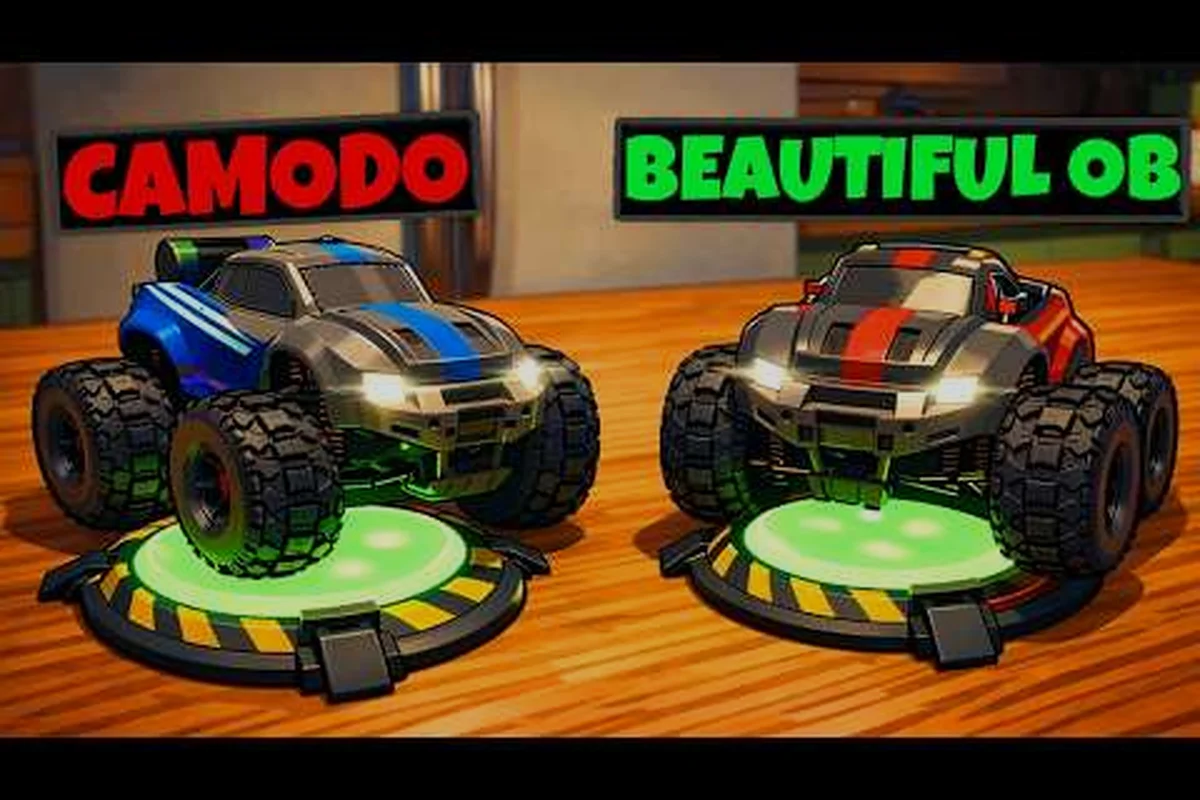
Vous vous demandez si WheelMates est obligatoire en coopération ? La réponse honnête est que le mode solo est entièrement pris en charge, mais la conception à deux joueurs façonne presque chaque puzzle, gadget et pièce dans la maison du professeur. Étant donné que la démo a été retirée le 3 août 2026 avant le lancement du 1er septembre, de nombreux joueurs se demandent encore comment fonctionnent le matchmaking, la synchronisation coopérative et si un partenaire est obligatoire pour une complétion à 100 %. Ce guide détaille le support solo, le fonctionnement du matchmaking, ce qu'il faut attendre du lag et de la synchronisation en coopération, ainsi que les succès coopératifs qui se débloquent avec un second conducteur. Nous comparerons également l'expérience de coopération familiale au jeu en solo, afin que vous puissiez décider avant le lancement si vous devez prendre un pass ami ou jouer seul. Si vous êtes nouveau dans le jeu, maîtriser ces fondamentaux tôt vous évitera bien des frustrations par la suite.
WheelMates est-il obligatoire en coopération ? La réponse courte
La réponse courte est que WheelMates est obligatoire en coopération uniquement si vous voulez l'expérience la plus fluide et la plus complète — mais le jeu ne force pas un second joueur. Le développeur décrit le titre comme une aventure coopérative de voitures radiocommandées à deux joueurs sur le site officiel de WheelMates, mais ce slogan reflète l'intention de conception plutôt qu'une exigence stricte. Vous pouvez conduire les deux voitures radiocommandées, résoudre chaque puzzle et collecter les cartes SD par vous-même. Le hic, c'est que la logique des puzzles est calibrée pour deux voitures travaillant en tandem, donc les sessions en solo exigent une planification plus minutieuse et souvent un rythme plus lent.
| Aspect | Mode solo | Mode coop |
|---|---|---|
| Rythme des puzzles | Changement manuel de voiture | Action simultanée |
| Couverture de la caméra | Vue de suivi unique | Rôles répartis à l'écran |
| Chasse aux cartes SD | Faisable mais fastidieux | Plus facile avec des rôles répartis |
| Expérience narrative | Récit complet | Moments de lore partagés |
| Difficulté | Plus élevée pour la plupart des tâches | Plus faible pour la coordination |
Ce que le mode solo prend réellement en charge
Les joueurs solo contrôlent une voiture radiocommandée à la fois et peuvent passer de l'une à l'autre dès qu'un puzzle l'exige. Le mode de suivi de caméra vous aide à suivre la voiture active, mais vous perdez l'action simultanée qu'offre la coopération. Les retours de la communauté issus de la démo suggèrent que le solo est entièrement jouable, même si la synchronisation coopérative entre les deux voitures est là où la sensation du jeu brille vraiment. Si vous êtes à l'aise avec la résolution méthodique de puzzles, le solo fonctionne très bien et offre toujours l'histoire complète.
La philosophie de conception coopérative
Les trois gadgets essentiels — le gadget de corde à balancer, les roues magnétiques et le gadget de préhension magnétique — sont clairement conçus pour deux conducteurs. De nombreux puzzles exigent qu'une voiture maintienne un interrupteur pendant que l'autre se balance au-dessus d'un vide ou tire un objet magnétique en place. Cette philosophie signifie que le jeu n'est pas strictement obligatoire en coopération, mais qu'il est optimisé pour la coopération. Les joueurs qui sautent le second conducteur rejoueront plusieurs sections simplement parce qu'ils ne peuvent pas effectuer deux actions à la fois.
Matchmaking WheelMates : comment trouver un partenaire
Si vous décidez que la coopération est la bonne voie, la question suivante est de savoir comment trouver un joueur. WheelMates ne repose pas sur un lobby en ligne traditionnel avec un matchmaking aléatoire. Il s'appuie plutôt sur la coopération locale, les configurations à entrées mixtes et le Pass ami pour les sessions à distance. Selon les impressions de la démo d'IGN, la version présentait une coopération sur le même clavier avec deux joueurs partageant un seul clavier, ce qui donne une base solide pour savoir à quoi s'attendre au lancement.
Coopération locale sur une seule machine
Le chemin le plus simple est la coopération locale : deux joueurs partagent une seule machine, l'un au clavier et l'autre à la manette. Cette configuration de coopération à entrées mixtes est idéale pour les familles et les amis dans la même pièce. Comme les deux voitures sont sur un seul écran, vous évitez tout lag de coopération lié au réseau, et la caméra peut suivre les deux véhicules sans que la connexion de l'hôte ne devienne un facteur.
Coopération à distance et Pass ami
Pour le jeu à distance, le Pass ami permet à un second joueur de rejoindre sans posséder le jeu complet. Le flux exact du matchmaking est encore en cours de clarification avant le lancement, mais les retours de la communauté indiquent que le Steam Remote Play est probablement la voie hôte privilégiée. Cela signifie que la qualité de connexion de l'hôte affecte directement l'expérience, donc un réseau filaire stable compte plus que dans une configuration avec serveur dédié. Si vous voulez planifier vos jalons, le guide des succès coopératifs détaille quels déblocages sont plus faciles avec un partenaire.
| Option de matchmaking | Configuration idéale | Réseau requis |
|---|---|---|
| Même clavier local | Deux joueurs, un PC | Aucun |
| Entrées mixtes locales | Clavier + manette | Aucun |
| Pass ami à distance | Deux joueurs, deux PC | Hôte stable |
| Steam Remote Play | Sessions à distance | Hôte haut débit |
Synchronisation et lag de la coopération WheelMates : à quoi s'attendre
L'une des plus grandes préoccupations des joueurs concerne la synchronisation coopérative et le lag de coopération lors des sessions à distance. Comme le jeu dépend de la connexion de l'hôte, l'expérience peut varier considérablement. Les retours de la communauté issus de la démo ont noté que la gestion de la caméra était un point sensible, et les impressions d'IGN ont fait écho au fait que la caméra pouvait sembler légèrement décalée lors des mouvements rapides. Cela dit, la logique des puzzles elle-même est déterministe, donc le lag se manifeste généralement par un bégaiement visuel plutôt que par une physique cassée.
Stabilité de l'hôte et de la synchronisation
La vitesse de téléversement de l'hôte et sa connexion globale déterminent la fluidité avec laquelle la voiture de l'invité se déplace. Une connexion hôte faible peut faire apparaître la seconde voiture comme si elle se téléportait ou se déplaçait par à-coups entre les positions. Les joueurs recommandent de garder les deux voitures proches à l'écran, car la caméra n'a alors pas besoin de courir après des pièces éloignées, ce qui réduit la latence d'entrée perçue pendant les sections de puzzles.
Réduire la latence d'entrée
Pour minimiser le lag, gardez les deux voitures proches l'une de l'autre pendant les puzzles chronométrés. Le mode de suivi de caméra aide, mais lorsqu'une voiture se balance au-dessus d'un large vide, la transition de caméra ajoute un léger délai. L'utilisation d'une connexion filaire pour l'hôte et la fermeture des téléchargements en arrière-plan sont les deux correctifs les plus fiables, selon les tests des joueurs.
| Symptôme de synchronisation coop | Cause probable | Correctif rapide |
|---|---|---|
| La voiture de l'invité se téléporte | Faible téléversement de l'hôte | Connexion hôte filaire |
| Bégaiement de la caméra | Mouvement rapide de la voiture | Garder les voitures proches |
| Délai d'entrée | Latence élevée | Réduire les tâches en arrière-plan |
| Désynchronisation du puzzle | Pic réseau | Redémarrer la session |
Succès coopératifs WheelMates et jeu familial
Les succès coopératifs sont un attrait majeur pour les complétionnistes. Bien que la liste complète des succès ne soit pas encore publique, les 18 cartes SD de la démo — avec la carte SD 17/18 étant un sujet brûlant sur la communauté Steam — montrent que les jalons de collection feront probablement partie de l'expérience coopérative. Beaucoup d'entre eux sont bien plus faciles à deux joueurs, car vous pouvez répartir les rôles de conduite et de collecte entre les deux voitures.
Jalons coopératifs à poursuivre
En faire un jeu de coopération familiale
WheelMates est véritablement adapté aux familles, et l'angle de la coopération familiale est l'un de ses arguments de vente les plus forts. Les deux voitures radiocommandées ont des personnalités distinctes, et l'histoire se déroule à travers des objets scannables et des cartes mémoire. Pour les parents et les enfants, le guide familial propose des conseils pour familiariser les non-joueurs avec les commandes. Les courtes boucles de puzzles et l'absence d'états d'échec complexes en font une session de coopération familiale facile.
Solo contre coopération : choisir votre voie
Maintenant que vous comprenez les mécaniques, la vraie décision est de savoir quel mode correspond à votre style de jeu. Si vous voulez une complétion rapide à 100 %, la coopération est le choix le plus sûr, car deux voitures couvrent plus de terrain et résolvent les puzzles simultanément. Si vous préférez une résolution de puzzles méthodique et détendue, le solo est parfaitement viable. Le guide du débutant détaille la configuration de départ pour les deux approches.
| Objectif | Solo | Coop |
|---|---|---|
| Résolution de puzzles détendue | Oui | Rythme rapide |
| Complétion rapide à 100 % | Plus lent | Oui |
| Sessions d'histoire en famille | Possible | Idéal |
| Chasse aux succès | Plus difficile | Plus facile |
En fin de compte, WheelMates est obligatoire en coopération uniquement si vous voulez l'expérience la plus fluide et la plus complète. Le solo est pris en charge et agréable, mais le cœur du jeu réside dans le partenariat à deux voitures. Pour la plupart des joueurs, prendre un ami ou un membre de la famille est la meilleure façon de jouer. Quel mode essaierez-vous en premier — solo ou coopération ? Partagez votre plan dans les commentaires ci-dessous.
Questions Fréquentes
Puis-je jouer à WheelMates en solo sans second joueur ?
Oui, le mode solo est entièrement pris en charge. Vous contrôlez les deux voitures radiocommandées et passez de l'une à l'autre selon les besoins des puzzles. Le jeu n'est pas obligatoire en coopération, mais le rythme est plus lent car vous ne pouvez pas maintenir un interrupteur et vous déplacer simultanément. Le solo est une façon valable et plus méthodique de vivre l'histoire complète.
WheelMates dispose-t-il d'un matchmaking en ligne ?
WheelMates n'utilise pas de lobby en ligne traditionnel avec des joueurs aléatoires. Il s'appuie plutôt sur la coopération locale, les configurations à entrées mixtes et le Pass ami pour le jeu à distance via Steam Remote Play. Vous devrez coordonner avec un ami plutôt que de rejoindre un pool de matchmaking.
Comment corriger le lag de coopération dans WheelMates ?
Le lag de coopération vient généralement de la connexion de l'hôte. Utilisez une connexion filaire pour l'hôte, fermez les téléchargements en arrière-plan et gardez les deux voitures proches à l'écran pour réduire les mouvements de caméra. Selon les retours des joueurs, ces étapes résolvent la plupart des problèmes de bégaiement et de désynchronisation lors des sessions à distance.
Y a-t-il des succès coopératifs dans WheelMates ?
Oui, des succès coopératifs sont attendus, notamment des jalons de collection liés aux 18 cartes SD de la démo. Certains succès sont bien plus faciles à deux joueurs, car vous pouvez répartir les rôles de conduite et de collecte. La liste complète sera confirmée au lancement, alors revenez après le 1er septembre.
WheelMates est-il bon pour la coopération familiale ?
WheelMates est un excellent jeu de coopération familiale. Les commandes sont simples, les puzzles sont courts et l'histoire est accessible. Le mode à entrées mixtes permet à un parent d'utiliser une manette pendant qu'un enfant utilise un clavier, ce qui facilite la participation des plus jeunes joueurs.