
;
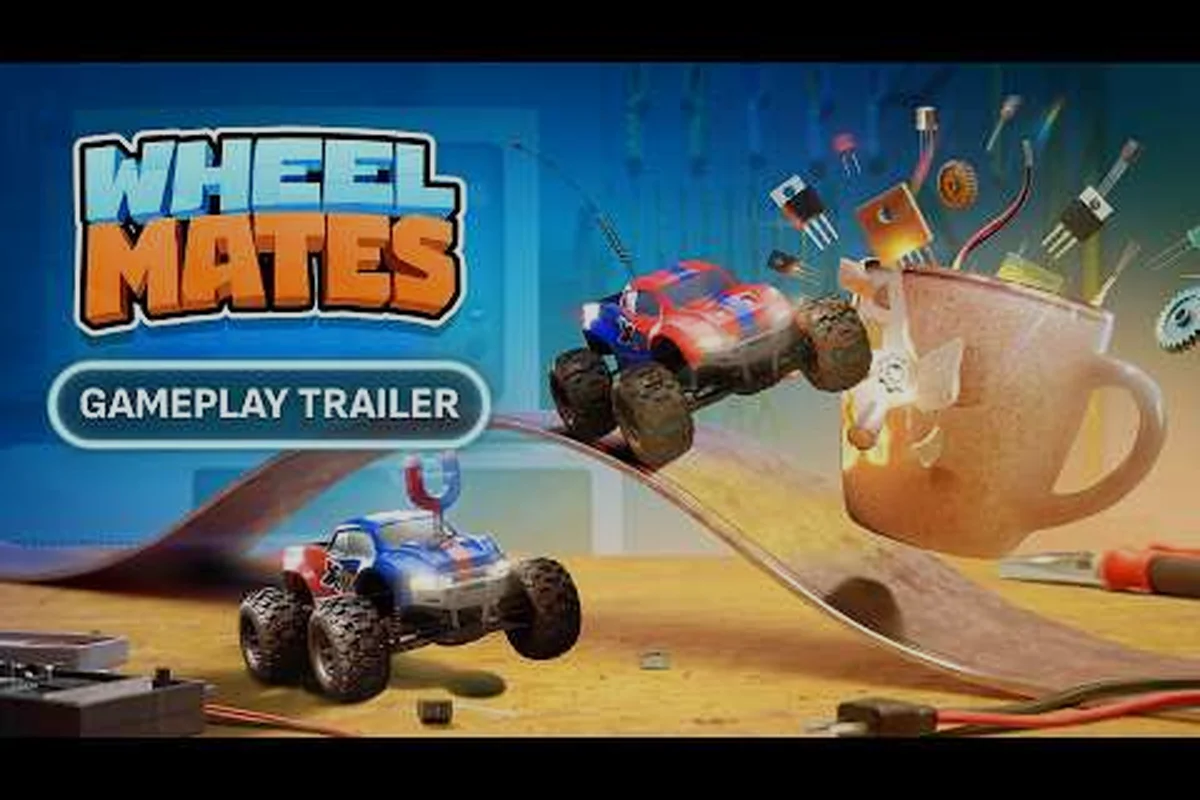
Le jeu WheelMates de Firevolt Studio n'est pas un jeu de course typique – c'est une aventure de conduite de voiture RC coopérative à 2 joueurs se déroulant dans le laboratoire domestique mystérieusement vide du professeur Everett Bloom. Avec le lancement avancé au 1er septembre 2026 sur Steam (au lieu du 7 septembre initial), les joueurs se précipitent pour comprendre le guide de mise à niveau WheelMates avant de fouler le linoléum. La boucle de jeu principale tourne autour de trois gadgets – la Balançoire à corde, les Roues magnétiques et l'Attrape-aimant – mais la véritable profondeur vient de la façon dont ces power-ups interagissent avec l'environnement, les objets de collection et votre partenaire. Cette analyse de toutes les mises à niveau WheelMates vous guidera à travers chaque outil, comment les débloquer et les synergies cachées qui séparent les conducteurs occasionnels des pros du nettoyage de laboratoire. Nous avons rassemblé des données de la page Steam officielle, du Discord WheelMates (plus de 3 327 membres et ça continue) et des tests de la communauté à partir de la démo qui a été retirée le 8 août 2026.
Comprendre les trois gadgets principaux
Avant de plonger dans la liste de tous les gadgets WheelMates, vous devez comprendre que WheelMates est un jeu de plateforme et de réflexion dans l'âme. La voiture RC que vous contrôlez est minuscule comparée aux meubles, livres et équipements de laboratoire éparpillés. Chaque gadget est conçu pour résoudre une classe spécifique d'énigme environnementale, et vous les débloquerez dans les 20 premières minutes de la campagne. Contrairement aux arbres de mise à niveau traditionnels, le guide de mise à niveau WheelMates se concentre sur la maîtrise des outils plutôt que sur les améliorations de statistiques – il n'y a pas d'améliorations de moteur ou de plaques de blindage. Au lieu de cela, vos power-ups sont les gadgets eux-mêmes, et ils évoluent à mesure que vous trouvez des cartes SD et des cartes mémoire qui débloquent de nouvelles mécaniques.
| Gadget | Moment de déblocage | Utilisation principale | Synergie coopérative |
|---|---|---|---|
| Balançoire à corde | Chapitre 1 (Après la première énigme) | S'accrocher aux points d'ancrage au plafond, se balancer au-dessus des fossés | Un joueur tient l'ancre, l'autre se balance vers des rebords élevés |
| Roues magnétiques | Chapitre 2 (Après la première porte de boss) | Conduire sur des murs et plafonds métalliques | Créer des chemins magnétiques pour que le partenaire les suive |
| Attrape-aimant | Chapitre 3 (Milieu de partie) | Tirer/pousser des objets métalliques, activer des interrupteurs | Enchaîner des tirages pour déplacer des objets lourds ensemble |
Comment fonctionne la Balançoire à corde
La balançoire à corde WheelMates est votre premier outil et le plus polyvalent. Vous tirez un grappin depuis le pare-chocs avant de votre voiture RC vers n'importe quel point d'ancrage lumineux (généralement des anneaux en laiton ou des crochets de plafond). Une fois attaché, vous pouvez vous balancer en arc de cercle en accélérant en avant ou en arrière. L'astuce clé est la conservation de l'élan – relâchez la corde au sommet de votre balancement pour vous propulser dans les airs. Ceci est essentiel pour atteindre les objets scannables cachés au sommet des bibliothèques. En coopération, un joueur peut ancrer la corde à un point fixe pendant que l'autre l'utilise comme une tyrolienne en conduisant le long du câble tendu. La balançoire à corde a également une mécanique de tension : si vous maintenez le bouton de balancement, vous pouvez enrouler la corde, vous rapprochant ainsi de l'ancre. C'est ainsi que vous escaladez les surfaces verticales – alternez entre l'enroulement et le relâchement.
Roues magnétiques : Le grimpeur de murs
Les Roues magnétiques sont un power-up passif qui s'active lorsque vous conduisez sur une surface métallique (généralement des plaques d'acier peintes ou des tuyaux exposés). Lorsqu'elles sont actives, votre voiture RC se retourne et conduit le long de la surface avec un clong satisfaisant. Le guide des gadgets WheelMates note que cela ne sert pas seulement au déplacement – de nombreuses énigmes vous obligent à conduire au plafond pour éviter les dangers au sol comme les arcs électriques ou les flaques d'eau. Les roues magnétiques vous permettent également de coller aux murs verticaux, ce qui est essentiel pour contourner les portes verrouillées. En coopération, le champ magnétique d'une voiture peut polariser temporairement un panneau métallique à proximité, permettant à la seconde voiture de conduire dessus même s'il n'est pas magnétique. C'est une mécanique cachée que la plupart des joueurs manquent – expérimentez en conduisant près de votre partenaire pendant qu'il est sur un mur.
Attrape-aimant : Le power-up utilitaire
L'Attrape-aimant est le gadget le plus complexe car il est actif plutôt que passif. Vous appuyez sur un bouton pour étendre une pince magnétique depuis l'avant de votre voiture RC. Cette pince peut attraper des objets métalliques (caisses, engrenages, clés) et soit les tirer vers vous, soit les pousser loin de vous. L'Attrape-aimant a une limite de poids – vous ne pouvez pas soulever le lourd bureau du professeur, mais vous pouvez traîner une caisse métallique sur le sol. La véritable puissance vient de la combinaison avec les Roues magnétiques : si vous attrapez un objet métallique alors que vos roues sont actives, vous pouvez le transporter le long d'un mur. C'est le cœur de nombreuses énigmes de fin de partie. En coopération, un joueur utilise l'Attrape-aimant pour maintenir une plateforme métallique stable pendant que l'autre conduit dessus. L'Attrape-aimant interagit également avec les ancres de la Balançoire à corde – vous pouvez attraper une ancre lâche et la repositionner sur une nouvelle surface magnétique.
Toutes les mises à niveau et variations de power-ups
Associez les mises à niveau au guide de la balançoire à corde WheelMates pour des techniques avancées.La liste de toutes les mises à niveau WheelMates ne se limite pas aux trois gadgets de base – elle inclut des modes variantes que vous débloquez en collectant des cartes mémoire (journaux audio du professeur Bloom). Chaque variante modifie le comportement du gadget de base, et vous pouvez basculer entre elles à n'importe quelle station de réparation (marquée par une icône de clé). Voici la répartition complète de tous les gadgets WheelMates :
| Mise à niveau | Source | Effet | Meilleur cas d'utilisation |
|---|---|---|---|
| Balançoire à corde : Double crochet | Carte mémoire #4 (Chapitre 2) | Tirer deux cordes simultanément | Créer un triangle pour arrêter le mouvement de balancement |
| Balançoire à corde : Boost d'enroulement | Carte mémoire #11 (Chapitre 4) | Enrouler 50 % plus vite | Échapper rapidement aux dangers aquatiques |
| Roues magnétiques : Inversion de polarité | Carte mémoire #7 (Chapitre 3) | Inverser la polarité magnétique | S'éloigner des murs au lieu de coller |
| Roues magnétiques : Impulsion de champ | Carte mémoire #15 (Chapitre 5) | Émettre une onde de choc magnétique à courte portée | Repousser les petits ennemis ou ouvrir des serrures magnétiques |
| Attrape-aimant : Levage lourd | Carte mémoire #9 (Chapitre 3) | Augmenter la limite de poids de 200 % | Déplacer les grosses caisses bloquant les chemins |
| Attrape-aimant : Tirage en chaîne | Carte mémoire #19 (Chapitre 6) | Attraper jusqu'à 3 objets à la fois | Résoudre les énigmes à interrupteurs multiples en solo |
Comment débloquer les variantes de mise à niveau
Chaque carte mémoire est cachée dans une pièce secrète qui nécessite une combinaison spécifique de gadgets. Par exemple, la carte mémoire #4 (Double crochet) se trouve derrière une grille métallique que vous ne pouvez ouvrir qu'en utilisant l'Attrape-aimant pour tirer un levier pendant que les Roues magnétiques vous maintiennent au plafond. Le guide de mise à niveau WheelMates recommande d'explorer chaque pièce deux fois – une fois avec vos gadgets actuels et une fois après avoir débloqué l'Attrape-aimant. Les cartes SD (qui sont différentes des cartes mémoire) débloquent des pièces cosmétiques pour votre voiture RC – roues, antennes et klaxons. Celles-ci n'affectent pas le gameplay mais sont essentielles pour les collectionneurs de personnalisation de voiture.
Synergies de gadgets et techniques avancées
La question comment fonctionnent les gadgets WheelMates se résume souvent aux combos. Voici les techniques avancées que la communauté de la démo a découvertes avant que la démo ne soit retirée le 8 août 2026 :. Coordonnez-vous avec votre partenaire pour maximiser le succès. La communauté Discord de plus de 3 327 membres en discute activement.
-
Balançoire-et-attrape : Utilisez la Balançoire à corde pour vous envoler, puis activez l'Attrape-aimant en plein balancement pour attraper un objet métallique flottant. C'est la seule façon d'atteindre la carte mémoire #7.
-
Poussée murale : Activez les Roues magnétiques sur un mur, puis utilisez l'Attrape-aimant pour pousser une caisse métallique du bord. La caisse tombera et actionnera une plaque de pression en dessous.
-
Double ancre : En coopération, les deux joueurs tirent la Balançoire à corde sur le même point d'ancrage. La tension combinée crée un pont rigide que vous pouvez traverser en voiture – ceci est essentiel pour l'épreuve du Chapitre 4.
-
Lancement par polarité : Avec l'Inversion de polarité équipée, conduisez vers un mur et inversez la polarité à la dernière seconde. La répulsion vous propulse en arrière à grande vitesse, utile pour les raccourcis de speedrun.
Interactions de gadgets exclusives à la coopération
WheelMates est conçu pour le jeu coopératif à deux joueurs, et certains power-ups ne fonctionnent que lorsque les deux joueurs sont impliqués. Le système Friend's Pass permet à un ami de se joindre gratuitement (sans achat requis) en écran partagé, en ligne ou via Remote Play Together. Voici les mécaniques exclusives à la coopération :
| Interaction | Condition | Effet |
|---|---|---|
| Pont magnétique | Joueur 1 sur le mur, Joueur 2 conduit en dessous | Le champ magnétique du Joueur 1 crée un chemin de plafond temporaire |
| Tirage à la corde | Les deux joueurs attachent des cordes au même objet | Tirer les objets lourds deux fois plus vite |
| Relais magnétique | Joueur 1 attrape l'objet, Joueur 2 attrape le même objet | Passer des objets entre les voitures sans les laisser tomber |
Objets de collection et leur relation avec les mises à niveau
Le guide de mise à niveau WheelMates ne serait pas complet sans une stratégie de collecte. Il existe quatre types d'objets de collection dans le jeu : les cartes SD, les cartes mémoire, les objets scannables et les entrées de journal. Alors que les cartes SD et les cartes mémoire débloquent directement des mises à niveau et des pièces cosmétiques, les objets scannables et les entrées de journal sont purement basés sur l'histoire. Cependant, scanner les objets scannables (en utilisant votre Attrape-aimant dans un mode de scan spécial) peut révéler des points d'ancrage cachés pour votre Balançoire à corde qui ne sont pas visibles autrement. C'est une mécanique cachée qui relie les objets de collection à l'utilité des gadgets.
| Type d'objet de collection | Nombre | Déblocage | Récompense |
|---|---|---|---|
| Cartes SD | 24 | Trouvées dans les zones ouvertes | Pièces de voiture (roues, antennes, klaxons) |
| Cartes mémoire | 20 | Cachées dans des pièces secrètes | Variantes de gadgets (mises à niveau) |
| Objets scannables | 15 | Nécessite le mode scan de l'Attrape-aimant | Entrées d'histoire + ancres cachées |
| Entrées de journal | 10 | Collectées automatiquement aux moments clés de l'histoire | Histoire de fond sur le professeur Bloom |
Problèmes connus et solutions de contournement
La démo de WheelMates (qui a été retirée le 8 août 2026) avait quelques problèmes connus que la communauté a documentés. Firevolt Studio les a reconnus sur le Discord officiel et a promis des correctifs pour le lancement du 1er septembre 2026. Voici ce que vous devez savoir :
-
Gestion de la caméra : La caméra peut traverser les murs lorsque vous conduisez au plafond avec les Roues magnétiques. Solution de contournement : passez temporairement en mode première personne (appuyez sur C).
-
Plantages par erreur fatale : Certains joueurs ont rencontré des plantages en utilisant l'Attrape-aimant sur des objets avec des interactions physiques. Solution de contournement : évitez d'attraper des caisses métalliques qui sont empilées les unes sur les autres.
-
Reconfiguration des touches : Le menu de reconfiguration des touches était incomplet dans la démo – vous ne pouviez pas reconfigurer l'Attrape-aimant sur un bouton de souris. Firevolt a confirmé que cela est corrigé dans la version de lancement.
Réflexions finales
Conseils finaux pour maîtriser le guide des gadgets
Le guide des gadgets WheelMates repose entièrement sur l'expérimentation. N'ayez pas peur d'utiliser l'Attrape-aimant sur des objets qui ne semblent pas interactifs – de nombreuses énigmes ont des solutions multiples. Par exemple, vous pouvez contourner une porte verrouillée en utilisant les Roues magnétiques pour conduire au plafond, ou vous pouvez utiliser l'Attrape-aimant pour tirer une clé métallique à travers une grille.
Pour plus de contenu WheelMates, consultez notre guide coopératif WheelMates
Vous pouvez également regarder des séquences de jeu sur YouTube pour voir les gadgets en action avant le lancement. Le guide de mise à niveau WheelMates sera mis à jour après le lancement avec les éventuels changements d'équilibrage que Firevolt Studio apportera en fonction des retours de la communauté.
Questions Fréquentes
Quel est le meilleur ordre pour débloquer les gadgets dans WheelMates ?
Vous débloquez d'abord la Balançoire à corde, puis les Roues magnétiques, puis l'Attrape-aimant. Il n'y a pas de choix dans l'ordre – il est lié à l'histoire. Cependant, vous pouvez choisir quelles variantes de gadgets débloquer en premier en priorisant les cartes mémoire. Nous recommandons d'obtenir la Balançoire à corde : Double crochet (carte mémoire #4) tôt car elle rend les énigmes coopératives considérablement plus faciles.
Comment fonctionne le Friend's Pass pour WheelMates ?
Le Friend's Pass permet à un second joueur de rejoindre votre jeu gratuitement en écran partagé, en ligne ou via Remote Play Together. Il n'a pas besoin d'acheter le jeu, mais il ne peut jouer qu'en tant que seconde voiture RC – il ne peut pas héberger sa propre session sans acheter le jeu.
Puis-je utiliser la Balançoire à corde sur n'importe quelle surface ?
Non, la balançoire à corde WheelMates ne s'attache qu'aux points d'ancrage lumineux. Vous pouvez les trouver sur des anneaux en laiton, des crochets de plafond et certains tuyaux métalliques. La mécanique des objets scannables peut révéler des ancres cachées qui ne sont pas visibles initialement. Cela fonctionne également lorsqu'un partenaire utilise Steam Remote Play Together.
Existe-t-il des mises à niveau permanentes autres que les gadgets ?
Non, le système de toutes les mises à niveau WheelMates est purement basé sur les gadgets. Vous n'augmentez pas la vitesse, l'accélération ou la durabilité de votre voiture RC. La seule progression permanente est le déblocage des variantes de gadgets et des pièces cosmétiques à partir des cartes SD. Cela s'applique à la fois à l'écran partagé et à la coopération en ligne via Friend's Pass.
WheelMates est-il compatible avec le Steam Deck ?
Oui, WheelMates est officiellement pris en charge sur Steam Deck. Les commandes de gadgets sont bien adaptées à la disposition de la manette, et le mode écran partagé fonctionne en mode portable si vous connectez un écran externe. Suivre les cartes mémoire associées aide à reconstituer l'histoire du professeur Bloom.