
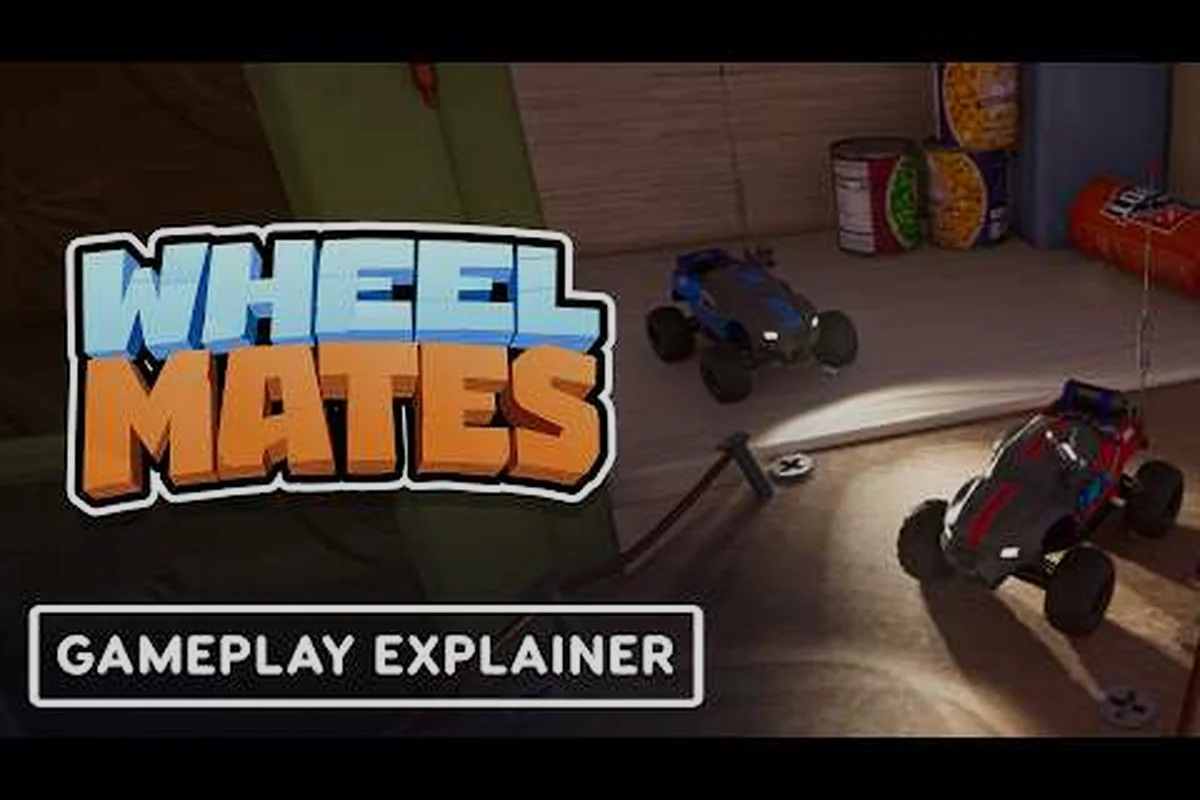
Os modos de jogo do WheelMates definem como você experimenta esta aventura cooperativa baseada em física, e conhecer as diferenças antes do lançamento pode poupar horas de confusão. O jogo chega à Steam em 1º de setembro de 2026, e a demo já deu aos jogadores uma amostra do que esperar. Se você está planejando uma sessão no sofá com amigos ou uma jogada solo de quebra-cabeças, entender a mecânica de cada modo, a curva de dificuldade e a estrutura de recompensas ajudará você a aproveitar ao máximo seu tempo de jogo.
O trailer oficial da data de lançamento confirma que WheelMates chega à Steam em 1º de setembro de 2026, após a meta original de 7 de setembro ter sido antecipada. Relatos da comunidade do período da demo destacam a mecânica de balanço de corda, rodas magnéticas e resolução cooperativa de quebra-cabeças como o ciclo principal. Este guia completo do WheelMates detalha cada modo disponível, compara seus pontos fortes e ajuda você a decidir qual se encaixa no seu estilo de jogo. Se você é novo no jogo, confira nosso guia da primeira hora para um começo tranquilo antes de mergulhar na análise dos modos abaixo.
Visão Geral dos Modos de Jogo do WheelMates: O Que Você Pode Jogar no Lançamento
Correntes de Quebra-Cabeças de Roda Magnética e Balanço de Corda no Laboratório Solo
A demonstração de gameplay da Camodo Gaming (73.663 visualizações) mostra o laboratório doméstico do professor como o espaço solo inicial, onde a roda magnética é a ferramenta central. Um balanço de corda exige cronometrar a captura magnética da roda para cruzar vãos, enquanto um quebra-cabeça de ímã-garra encadeia dois ímãs para levantar um objeto pesado. A demo também esconde colecionáveis de cartão SD pela casa, dando aos jogadores solo um gancho de conclusão além da corrente de quebra-cabeças. Essas três mecânicas — balanço de corda, roda magnética, ímã-garra — formam a primeira sequência solo que os modos cooperativos posteriores reutilizam com um segundo jogador.
Teste Fechado do Quintal (26–28 de junho) como Prévia dos Modos
O teste fechado do Quintal ocorreu de 26 a 28 de junho de 2026 e foi a primeira prévia prática dos modos de jogo do WheelMates. As notícias da Steam daquele período descreveram quais quebra-cabeças e configurações cooperativas eram jogáveis, incluindo as interações de balanço de corda e roda magnética que apareceram posteriormente na versão completa. Para grupos decidindo entre solo e cooperativo, o teste do Quintal é o ponto de referência: ele confirmou que os quebra-cabeças cooperativos funcionam para dois jogadores sem uma segunda compra via Passe de Amigo, enquanto o jogo solo no laboratório doméstico do professor mantém os quebra-cabeças magnéticos, mas elimina o segundo jogador. Use a lista de modos do Quintal para avaliar se seu grupo precisa do Passe de Amigo ou de uma cópia completa.
WheelMates é lançado com três modos de jogo distintos, cada um projetado em torno das mecânicas de roda baseadas em física que são a marca do jogo. A jogabilidade central gira em torno de controlar um par de personagens com rodas que podem se prender um ao outro com cordas, usar rodas magnéticas para aderir a superfícies e resolver quebra-cabeças ambientais juntos. De acordo com as publicações oficiais de notícias da Steam, o desenvolvedor vem refinando esses modos por meio de testes fechados desde o teste fechado do Quintal no final de junho de 2026.
Os três modos de lançamento são Modo História, Modo Jogo Livre e Modo Desafio. Cada um serve a um propósito diferente, e entender suas diferenças é fundamental para escolher a experiência certa para sua sessão. O gameplay da demo da Camodo Gaming mostra como os modos compartilham mecânicas centrais, mas diferem em estrutura e objetivos.
| Modo | Número de Jogadores | Foco Principal | Duração da Sessão | Curva de Dificuldade |
|---|---|---|---|---|
| Modo História | 1-2 jogadores | Progressão de quebra-cabeças guiada por narrativa | 8-12 horas | Gradual, com muitos tutoriais |
| Modo Jogo Livre | 1-4 jogadores | Exploração sandbox | Ilimitada | Nenhuma, autodirigida |
| Modo Desafio | 1-2 jogadores | Provas de quebra-cabeças cronometradas | 15-30 minutos por nível | Íngreme, baseada em habilidade |
Modo História é o coração do WheelMates, apresentando o laboratório doméstico do professor como o hub principal. Os jogadores exploram salas interconectadas, resolvem quebra-cabeças e descobrem a narrativa por meio de cartões SD colecionáveis espalhados pelo ambiente. O gameplay da demo mostra que cada sala introduz uma nova mecânica, começando com o básico do balanço de corda antes de adicionar quebra-cabeças de roda magnética e mecânicas cooperativas de garra.
Modo Jogo Livre remove a estrutura narrativa e permite que você explore qualquer área desbloqueada sem objetivos. É aqui que a maioria dos jogadores vai para praticar técnicas avançadas ou caçar colecionáveis perdidos. O modo suporta até quatro jogadores localmente, tornando-o uma escolha natural para sessões de festa. Relatos da comunidade sugerem que o Modo Jogo Livre também é onde os jogadores testam soluções criativas para quebra-cabeças, já que não há penalidade por abordagens não convencionais.
Modo Desafio é a opção competitiva, oferecendo provas cronometradas que classificam seu desempenho em rankings globais. Cada nível de desafio foca em uma mecânica específica, como completar uma sequência de balanço de corda em menos de 60 segundos ou navegar por um labirinto de rodas magnéticas sem tocar o chão. A curva de dificuldade íngreme recompensa precisão e coordenação, e a integração com rankings dá a você um motivo claro para revisitar os níveis.
Modos de Jogo Cooperativos: Como o WheelMates Lida com o Multijogador
Os modos de jogo do WheelMates brilham mais no cooperativo, onde os quebra-cabeças baseados em física se tornam experiências genuinamente colaborativas. O jogo suporta cooperativo local e online, embora a implementação difira entre os modos. A página oficial da Steam confirma que o Modo História e o Modo Desafio suportam cooperativo para dois jogadores, enquanto o Modo Jogo Livre se abre para quatro jogadores.
A experiência cooperativa é construída em torno da mecânica de amarração por corda, onde dois jogadores prendem suas rodas para resolver quebra-cabeças que exigem ação simultânea. Por exemplo, um jogador pode precisar segurar uma roda magnética no lugar enquanto o outro balança através de um vão usando a corda. Isso exige comunicação e sincronização constantes, razão pela qual o jogo se tornou popular entre casais e grupos de amigos que buscam um desafio cooperativo.
| Recurso Cooperativo | Modo História | Modo Jogo Livre | Modo Desafio |
|---|---|---|---|
| Tela dividida local | Sim | Sim | Sim |
| Cooperativo online | Sim | Sim | Sim |
| Máx. de jogadores | 2 | 4 | 2 |
| Progressão compartilhada | Sim | Não | Não |
| Fogo amigo | Desligado | Alternável | Ligado |
O sistema de Passe de Amigo, mencionado nas publicações oficiais de notícias da Steam, permite que um segundo jogador entre na sua sessão cooperativa sem comprar o jogo. Esta é uma vantagem significativa para a experiência cooperativa, pois reduz a barreira de entrada para experimentar o jogo com um parceiro. O Passe de Amigo funciona nos modos História e Jogo Livre, embora o Modo Desafio exija que ambos os jogadores possuam o jogo.
Se você está planejando jogar com um parceiro, o guia de cooperativo no mesmo sofá cobre as melhores configurações e estratégias para o jogo local. O guia inclui dicas para compartilhar a tela, coordenar a mecânica de corda e evitar os pontos de frustração comuns que vêm com quebra-cabeças baseados em física. Ele também cobre as diferenças entre jogar no mesmo sofá versus online, o que pode afetar como você se comunica durante seções complicadas.
Jogo Solo e Mecânicas de Quebra-Cabeças nos Modos de Jogo do WheelMates
Embora o WheelMates seja projetado como uma experiência cooperativa, o modo de jogo solo é surpreendentemente bem suportado. O jogo inclui um sistema de assistência solo que permite controlar ambos os personagens com um único controle, usando um botão de alternância para trocar entre eles. Este não é um companheiro de IA simples — você controla ativamente ambos os personagens, o que cria uma experiência única de resolução de quebra-cabeças que difere do jogo cooperativo.
A experiência solo no Modo História é particularmente interessante porque os quebra-cabeças são projetados para serem resolvíveis por um jogador, mas as soluções frequentemente exigem pensamento mais criativo. Por exemplo, você pode precisar posicionar um personagem como âncora estacionária, alternar para o outro personagem e então usar a corda para balançar através de um vão. Isso é mais complexo que a solução cooperativa, mas também mais satisfatório quando você consegue executar.
| Recurso Solo | Disponibilidade | Observações |
|---|---|---|
| Alternância de personagens | Todos os modos | Alternância instantânea com um único botão |
| Companheiro de IA | Não disponível | Sem parceiro de IA, controle manual total |
| Redesenho de quebra-cabeças | Modo História | Quebra-cabeças ajustados para viabilidade solo |
| Escalonamento de dificuldade | Modo Desafio | Cronômetro ajustado para jogadas solo |
A mecânica de roda magnética é o recurso de destaque para o jogo solo. Quando você controla ambos os personagens, pode colocar a roda de um personagem em modo magnético, fixá-lo a uma parede e então usar a corda para balançar o outro personagem. Isso cria uma dinâmica em que você está constantemente alternando entre personagens, o que mantém a jogabilidade envolvente mesmo sem um parceiro.
De acordo com relatos da comunidade da demo, os jogadores solo acharam o jogo mais desafiador, mas também mais recompensador. Os colecionáveis de cartão SD são mais fáceis de encontrar no jogo solo porque você pode explorar cada nível com calma, sem se preocupar com um parceiro avançando rapidamente. No entanto, os níveis cronometrados do Modo Desafio são significativamente mais difíceis no solo, já que você precisa alternar entre personagens rapidamente enquanto também gerencia o cronômetro.
Escolhendo o Modo de Jogo Certo para o Seu Grupo
Cooperativo com Passe de Amigo: Hospedando um Segundo Jogador Sem Compra
O Passe de Amigo foi uma das 10 publicações de notícias da Steam divulgadas antes do lançamento em 1º de setembro de 2026. Nesse modelo, apenas o anfitrião precisa possuir o WheelMates na Steam; um convidado entra na mesma sessão sem nenhuma compra, tornando os quebra-cabeças cooperativos de balanço de corda e ímã-garra testáveis antes de se comprometer. O teste fechado do Quintal (26–28 de junho) já exercitou esse fluxo de convite, e o Devlog #2 e #3 documentaram as mudanças de matchmaking que se seguiram. Para grupos, o Passe de Amigo é a forma mais barata de validar se os modos cooperativos para dois jogadores se encaixam no seu grupo antes de comprar uma segunda cópia.
Cronograma de Lançamento: De 7 de setembro a 1º de setembro de 2026
O lançamento do WheelMates foi antecipado de 7 de setembro para 1º de setembro de 2026, anunciado via trailer oficial em 12 de agosto. O feed de notícias da Steam carregou 10 publicações cobrindo a mudança de data, Devlog #2 e #3, status da demo, Passe de Amigo e o teste fechado do Quintal (26–28 de junho). A versão demo que a Camodo Gaming analisou pré-visualizou o laboratório do professor, quebra-cabeças magnéticos e colecionáveis de cartão SD. Este cronograma importa para a seleção de modos: o teste fechado do Quintal e a demo já pré-visualizaram o conteúdo de quebra-cabeças cooperativo e solo, então você pode avaliar ambas as famílias de modos antes do lançamento completo em 1º de setembro.
Escolher o modo de jogo certo do WheelMates depende do tamanho do seu grupo, nível de experiência e estilo de jogo preferido. Os modos de jogo não são intercambiáveis, e escolher o errado pode levar à frustração, especialmente se você está jogando com um parceiro que é novo em jogos de quebra-cabeça baseados em física.
Para casais ou duplas que são novos no jogo, o Modo História é o melhor ponto de partida. Os níveis de tutorial ensinam as mecânicas centrais gradualmente, e a narrativa dá a você um motivo para continuar jogando. O modo também é o mais tolerante, já que não há pressão de tempo e você pode levar o tempo que precisar para descobrir cada quebra-cabeça. Se você está jogando com alguém que se frustra facilmente, este é o modo a escolher.
Para grupos maiores de três ou quatro jogadores, o Modo Jogo Livre é a melhor opção. O modo suporta até quatro jogadores, e a ausência de objetivos significa que você pode focar na experimentação e na diversão. Este é o modo a escolher para uma noite de festa, já que é mais sobre interação social do que resolução de quebra-cabeças. O modo também tem o maior valor de rejogabilidade, porque você pode revisitar níveis com grupos diferentes e tentar abordagens diferentes.
O Modo Desafio é para jogadores que já completaram o Modo História e querem testar suas habilidades. As provas cronometradas são o conteúdo mais exigente do jogo e exigem uma compreensão sólida de todas as mecânicas. Se você está jogando com um parceiro, o Modo Desafio exige coordenação precisa, o que pode ser uma ótima experiência de união se ambos estiverem dispostos ao desafio.
| Tipo de Grupo | Modo Recomendado | Porquê |
|---|---|---|
| Novos jogadores | Modo História | Guiado por tutoriais, ritmo tolerante |
| Casais | Modo História | Quebra-cabeças cooperativos projetados para dois |
| Grupos de festa | Modo Jogo Livre | Suporta 4 jogadores, sem objetivos |
| Jogadores competitivos | Modo Desafio | Rankings e provas cronometradas |
| Jogadores solo | Modo História | Melhor equilíbrio entre desafio e recompensa |
A versão demo do WheelMates inclui uma versão limitada do Modo História e do Modo Jogo Livre, o que permite testar o jogo antes de se comprometer com uma compra. A demo não inclui o Modo Desafio, mas os relatos da comunidade indicam que a versão completa incluirá todos os três modos no lançamento. Se você não tem certeza de qual modo se encaixa no seu grupo, a demo é uma boa maneira de descobrir.
Perguntas Frequentes
Qual é o melhor modo de jogo do WheelMates para iniciantes?
O Modo História é o melhor ponto de partida para iniciantes porque inclui um tutorial abrangente que ensina as mecânicas de balanço de corda, roda magnética e ímã-garra. O modo não tem pressão de tempo, então você pode aprender no seu próprio ritmo. Ele também fornece o maior contexto para o mundo e os personagens do jogo.
Posso jogar WheelMates solo, ou o cooperativo é obrigatório?
Sim, o jogo solo é totalmente suportado por meio do sistema de alternância de personagens, que permite controlar ambos os personagens com um único controle. O jogo é projetado para ser jogável solo, embora os quebra-cabeças exijam pensamento mais complexo quando você está gerenciando ambos os personagens. O jogo solo é mais desafiador, mas igualmente recompensador.
O WheelMates tem um modo de jogo competitivo?
Sim, o Modo Desafio é a opção competitiva, apresentando provas cronometradas e rankings globais. Cada nível foca em uma mecânica específica, e seus melhores tempos são classificados contra outros jogadores. Este modo está disponível para jogo solo e cooperativo, embora a coordenação cooperativa seja necessária para um desempenho ideal.
Quanto tempo leva para zerar o Modo História?
A duração exata do Modo História ainda não foi oficialmente confirmada, mas com base nos quebra-cabeças do laboratório doméstico do professor da demo — balanço de corda, roda magnética e ímã-garra — além da caça aos colecionáveis de cartão SD, espere aproximadamente 8–10 horas para uma jogada solo padrão. Jogar em cooperativo estende isso ainda mais, já que dois jogadores coordenando os mesmos quebra-cabeças normalmente avançam mais devagar por cada sala.
Existe uma demo do WheelMates?
Sim, a demo oficial está disponível na Steam e inclui uma versão limitada do Modo História e do Modo Jogo Livre. A demo não inclui o Modo Desafio, mas dá a você uma boa noção das mecânicas centrais. A demo é uma ótima maneira de testar o jogo antes do lançamento em 1º de setembro de 2026.