
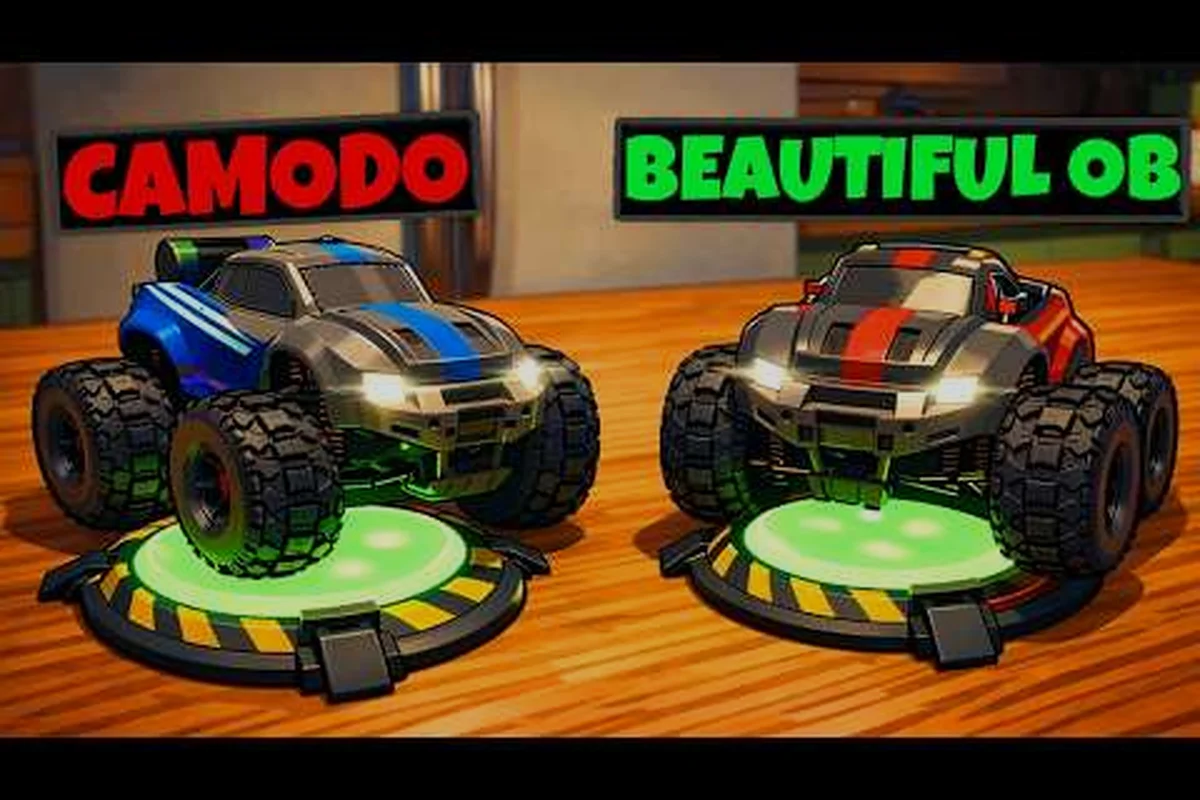
;
WheelMates de Firevolt Studio se lanza en Steam el 1 de septiembre de 2026 (adelantado desde el 7 de septiembre), y la pregunta más importante en el Discord de la comunidad — ahora con más de 3.327 miembros — es cómo funciona el Pase de Amigo. A diferencia de los juegos cooperativos típicos que obligan a ambos jugadores a comprar una copia, WheelMates permite que un propietario invite a un amigo a jugar la aventura completa de autos RC cooperativa para 2 jugadores gratis. Esta guía desglosa los mecanismos exactos, las limitaciones de plataforma y las peculiaridades conocidas para que puedas planificar tu primera sesión en el misteriosamente vacío laboratorio doméstico del Profesor Everett Bloom sin sorpresas.
Pase de Amigo de WheelMates: Concepto Principal y Elegibilidad
El Pase de Amigo es una función integrada que otorga a un segundo jugador acceso completo a toda la campaña de WheelMates sin comprar el juego. El pase está vinculado a la copia del anfitrión, no a una clave de descarga separada. Cuando inicias WheelMates en Steam, el juego detecta automáticamente si hay un segundo controlador o una invitación en línea activa, y si el jugador invitado no posee el juego, el Pase de Amigo se activa sin problemas.
La elegibilidad es sencilla: cualquier usuario de Steam con una cuenta válida puede unirse mediante el Pase de Amigo. No hay requisito de nivel, límite de tiempo ni restricción de contenido — el amigo obtiene acceso a los tres dispositivos (Cuerda de Balanceo, Ruedas Magnéticas, Imán de Agarre) y a todos los coleccionables (Tarjetas SD, Tarjetas de Memoria, Objetos Escaneables, Entradas de Diario) desde el primer minuto. La única condición es que el anfitrión debe poseer el juego, y ambos jugadores necesitan una conexión a internet estable para jugar en línea.
Pase de Amigo vs. Demo vs. Copia Completa
| Característica | Pase de Amigo | Demo (retirada el 8 de agosto de 2026) | Copia Completa |
|---|---|---|---|
| Costo | Gratis (el anfitrión posee el juego) | Gratis | $19.99 (Steam) |
| Acceso a la campaña | Completo | Solo los primeros 2 niveles | Completo |
| Todos los dispositivos | Sí | No (solo Cuerda de Balanceo) | Sí |
| Cooperativo en línea | Sí | No (solo local) | Sí |
| Soporte para Steam Deck | Sí (a través del anfitrión) | Sí | Sí |
| Progreso guardado | No (solo invitado) | No | Sí |
La demo se retiró el 8 de agosto de 2026 para centrarse en el pulido final, por lo que el Pase de Amigo es ahora la única forma gratuita de probar WheelMates. Es una decisión de diseño deliberada de Firevolt Studio: quieren que la primera experiencia sea la aventura completa e ininterrumpida.
Cómo Jugar WheelMates con un Amigo: Proceso de Invitación Paso a Paso
Invitar a un amigo es sencillo, pero hay tres caminos distintos según estén en la misma habitación o en línea. Aquí está el proceso exacto para cada método. Coordínate con tu compañero para maximizar el éxito. La comunidad de Discord con más de 3.327 miembros discute activamente esto.
Invitación en Línea a través de la Lista de Amigos de Steam
-
Inicia WheelMates y selecciona "Campaña Cooperativa" en el menú principal.
-
Elige "Alojar Juego en Línea" — esto crea un lobby.
-
Abre tu superposición de Steam (Shift+Tab) y selecciona a un amigo de tu lista.
-
Haz clic en "Invitar al Juego" — tu amigo recibe una notificación.
-
Tu amigo acepta, y si no posee WheelMates, el Pase de Amigo se activa automáticamente.
-
El juego carga el primer capítulo del laboratorio del Profesor Bloom juntos.
La calidad de red del anfitrión determina la experiencia. Firevolt Studio recomienda una conexión por cable con al menos 10 Mbps de subida para un juego fluido. El juego utiliza redes punto a punto, por lo que no hay servidor dedicado — si el internet del anfitrión se cae, la sesión termina.
Configuración de Pantalla Dividida Local
La pantalla dividida es totalmente compatible en un solo PC. Conecta un segundo controlador (Xbox, PlayStation o USB genérico) y: — Este detalle aparece con frecuencia en la comunidad de Discord con más de 3.327 miembros como un consejo clave para los jugadores más nuevos que aprenden el sistema interconectado de dispositivos del laboratorio. Muchos jugadores de la comunidad comparten activamente este consejo con los recién llegados.
-
En el menú principal, selecciona "Campaña Cooperativa".
-
Elige "Pantalla Dividida Local".
-
El Jugador 2 presiona Inicio en su controlador cuando se le indique.
-
La pantalla se divide horizontalmente, con cada jugador controlando su propio auto RC.
La pantalla dividida funciona a 60 FPS como objetivo en un PC de gama media, pero Firevolt Studio ha reconocido que el manejo de cámara puede sentirse apretado en corredores estrechos. El juego ajusta dinámicamente la línea de división según la proximidad de los jugadores — cuando están cerca, las pantallas se fusionan en una sola vista.
Juego Remoto Juntos (Alternativa Gratuita)
Si quieres jugar en línea pero el internet de tu amigo es débil, Steam Remote Play Together es una alternativa integrada. Esto transmite la pantalla del anfitrión al invitado, y ambos jugadores comparten el hardware del anfitrión. No es lo mismo que el cooperativo en línea nativo, pero funciona para sesiones de pantalla dividida a través de internet.
| Método | ¿Requiere Pase de Amigo? | ¿Requiere que el Amigo Posea el Juego? | Mejor Para |
|---|---|---|---|
| Invitación en Línea | Sí (automático) | No | Cooperativo en línea completo |
| Pantalla Dividida Local | No | No | Misma habitación |
| Juego Remoto Juntos | No | No | Internet débil del amigo |
Pantalla Dividida de WheelMates: Todo lo que Necesitas Saber
La pantalla dividida es la forma prevista de experimentar WheelMates para muchos jugadores, especialmente porque las mecánicas principales del juego — como el Imán de Agarre — requieren coordinación precisa. Cada jugador tiene su propio auto RC con color base independiente y personalización de piezas de ruedas/antena/bocina. El diseño de la pantalla se adapta según la geometría del nivel.
Rendimiento y Resolución
En Steam Deck (compatible oficialmente), la pantalla dividida funciona a 800p con escalado de resolución dinámica. En escritorio, el juego apunta a 1080p/60 FPS para pantalla dividida, pero si usas una pantalla 4K, espera que la resolución interna baje a 1440p para mantener la tasa de fotogramas. Firevolt Studio ha señalado que se han producido errores fatales en pantalla dividida al cambiar rápidamente entre niveles — hay una solución en el parche del primer día.
Comportamiento de la Cámara en Pantalla Dividida
El manejo de cámara es el tema más discutido en el Discord. En pantalla dividida, la cámara de cada jugador sigue su auto RC de forma independiente, pero cuando están cerca, las cámaras se fusionan para evitar mostrar la misma escena dos veces. Esto puede sentirse desorientador durante las secciones de Cuerda de Balanceo, donde un jugador se balancea sobre huecos mientras el otro espera. Se planea un control deslizante de distancia de cámara para una actualización posterior al lanzamiento.
WheelMates Multiplataforma: Qué Funciona y Qué No
Aquí está la verdad incómoda: WheelMates no es multiplataforma en el lanzamiento. El juego es solo para Windows en Steam, y no hay versiones para consolas anunciadas. El Steam Deck es compatible, pero ejecuta la misma versión de Windows a través de Proton — por lo que cuenta como la misma plataforma.
Tabla de Multiplataforma
| Plataforma | ¿Puede Jugar con Windows? | ¿Puede Usar el Pase de Amigo? | Notas |
|---|---|---|---|
| Windows (Steam) | Sí | Sí | Plataforma principal |
| Steam Deck | Sí | Sí (anfitrión o invitado) | Compatible oficialmente |
| macOS | No | No | No disponible |
| PlayStation/Xbox | No | No | Sin lanzamiento en consolas |
| Linux (nativo) | No | No | Proton funciona pero no es compatible |
Si preguntas sobre multiplataforma entre Steam y Epic o GOG — también es un no. WheelMates es exclusivo de Steam en el lanzamiento. Firevolt Studio ha dicho que están "evaluando otras tiendas", pero nada está confirmado. El seguimiento de las Tarjetas de Memoria añade contexto adicional a la historia del Profesor Bloom.
Juego Remoto Juntos vs. Pase de Amigo: ¿Cuál Deberías Usar?
Tanto Juego Remoto Juntos como el Pase de Amigo permiten que un amigo juegue sin comprar el juego, pero funcionan de manera diferente. El Pase de Amigo es cooperativo en línea nativo — cada jugador tiene su propia instancia del juego, y la red solo envía datos de entrada y estado. Juego Remoto Juntos transmite todo el flujo de video, lo que requiere mayor ancho de banda e introduce latencia de entrada.
| Característica | Pase de Amigo (Nativo) | Juego Remoto Juntos |
|---|---|---|
| Latencia | Baja (30-50ms típico) | Media (50-100ms típico) |
| Ancho de banda necesario | 10 Mbps de subida del anfitrión | 15 Mbps de subida del anfitrión |
| Calidad visual | Resolución completa por jugador | Solo resolución del anfitrión |
| Hardware del invitado | Cualquier PC que pueda ejecutar Steam | No se necesita PC gaming |
| Pantalla dividida en el invitado | No | Sí (el invitado ve pantalla dividida) |
| Problemas conocidos | Errores fatales | Retraso de entrada en secciones rápidas |
Para la mayoría de los jugadores, el Pase de Amigo es superior — es la forma prevista de jugar en línea. Pero si tu amigo tiene una laptop de gama baja o una conexión deficiente, Juego Remoto Juntos es un respaldo confiable. Una peculiaridad: Juego Remoto Juntos no requiere que el invitado tenga una cuenta de Steam con el juego, pero sí necesita una cuenta de Steam para aceptar la invitación.
Cómo Invitar a un Amigo: Solución de Problemas Comunes
Los modos cooperativos detallados están cubiertos en nuestra guía principal de cooperativo. Incluso con un lanzamiento fluido, podrías encontrar obstáculos. Aquí están los problemas más comunes reportados por los evaluadores de la demo cerrada para patrocinadores y cómo solucionarlos. Los usuarios de Steam Deck reportan un comportamiento idéntico en el dispositivo portátil. Coordínate con tu compañero para maximizar el éxito en habitaciones complicadas.
El Pase de Amigo No se Activa
Si tu amigo se une pero ve una pantalla de "Compra Requerida", verifica lo siguiente. Esto interactúa con los dispositivos de Cuerda de Balanceo y Ruedas Magnéticas. El seguimiento de las Tarjetas de Memoria añade contexto adicional a la historia del Profesor Bloom. La comunidad de Discord con más de 3.327 miembros discute activamente este enfoque y comparte consejos regularmente.
-
Asegúrate de que el anfitrión esté en línea en Steam (no invisible).
-
Verifica que el amigo esté en tu lista de amigos — las invitaciones aleatorias no funcionan.
-
Reinicia ambos clientes de Steam — la detección del Pase de Amigo puede fallar si la superposición de Steam está desactualizada.
-
Comprueba que el juego del anfitrión esté completamente actualizado — las discrepancias de versión bloquean el pase.
Errores Fatales Durante la Invitación
Firevolt Studio ha reconocido errores fatales cuando el invitado se une a mitad de nivel. La solución es iniciar una campaña nueva desde el menú principal antes de invitar. Si el error persiste, desactiva la Superposición de Steam para WheelMates (clic derecho en el juego → Propiedades → desmarca "Habilitar Superposición de Steam").
Conflictos de Reasignación de Teclas
El sistema de reasignación de teclas del juego es funcional pero limitado — puedes reasignar todas las acciones, pero la interfaz no muestra advertencias de conflicto. Si la asignación del controlador de tu amigo se superpone con la tuya, el juego puede ignorar las entradas. Restablece a los valores predeterminados en el menú Configuración → Controles antes de comenzar.
Reflexiones Finales
Antes de tu primera sesión, establece expectativas: WheelMates es un juego de rompecabezas cooperativo en esencia, no un juego de carreras. Las Ruedas Magnéticas te permiten conducir por paredes y techos, pero solo cuando ambos jugadores se coordinan. El Imán de Agarre es la clave para mover objetos pesados — un jugador tira, el otro empuja.
Para la experiencia más fluida, usa el Pase de Amigo con una conexión por cable en ambos extremos. Si juegas en pantalla dividida, usa dos controladores de Xbox — tienen la menor latencia de entrada. Y si encuentras el error fatal, recuerda reiniciar la campaña, no solo el nivel.
Para más guías de cooperativo, consulta nuestra categoría de cooperativo para juegos similares. Si tienes curiosidad sobre la historia del juego, las Tarjetas de Memoria contienen registros de audio de los asistentes del Profesor Bloom — insinúan lo que sucedió en el laboratorio.
El Pase de Amigo es la mejor manera de convencer a un amigo para que se una — y si les encanta, comprarán su propia copia por el archivo de guardado y los logros. Nos vemos en el laboratorio.
Preguntas Frecuentes
¿El Pase de Amigo de WheelMates es gratis para siempre?
Sí, el Pase de Amigo es gratis para el invitado — sin límite de tiempo, sin suscripción. El anfitrión debe poseer el juego, y el invitado puede jugar la campaña completa mientras el anfitrión esté en línea. Si el anfitrión se desconecta, el invitado regresa al menú principal.
¿Pueden dos jugadores usar el Pase de Amigo al mismo tiempo?
No — solo un invitado puede unirse a la sesión de un solo anfitrión. WheelMates es estrictamente cooperativo para 2 jugadores. No hay modo de 4 jugadores, y no puedes tener dos invitados en un solo anfitrión. Practicar esto en la demo ayuda a desarrollar memoria muscular antes del lanzamiento. Firevolt Studio confirmó que este comportamiento se mantiene consistente en la versión de lanzamiento para todos los jugadores.
¿El Pase de Amigo funciona en Steam Deck?
Sí, el Steam Deck es compatible oficialmente, y el Pase de Amigo funciona en ambos sentidos — un propietario de Deck puede ser anfitrión, y un usuario de Deck puede unirse como invitado. El rendimiento es de 30-60 FPS según el nivel, con resolución dinámica habilitada por defecto.
¿WheelMates tendrá multiplataforma más adelante?
Firevolt Studio no se ha comprometido con un cronograma, pero han declarado en el Discord que multiplataforma está "en la hoja de ruta" si el juego se vende bien. Las versiones para consolas no están confirmadas. Esto funciona de manera consistente tanto en pantalla dividida como en cooperativo en línea a través del sistema de Pase de Amigo, y Firevolt Studio confirmó que la versión de lanzamiento mantendrá este comportamiento intacto.
¿Qué pasa con mis coleccionables si juego como invitado?
El progreso del invitado no se guarda — las Tarjetas SD, Tarjetas de Memoria y Entradas de Diario recolectadas durante una sesión del Pase de Amigo solo cuentan para el anfitrión. Si compras el juego más tarde, tendrás que recolectar todo de nuevo. Coordínate con tu compañero antes de cada intento para maximizar el éxito.