
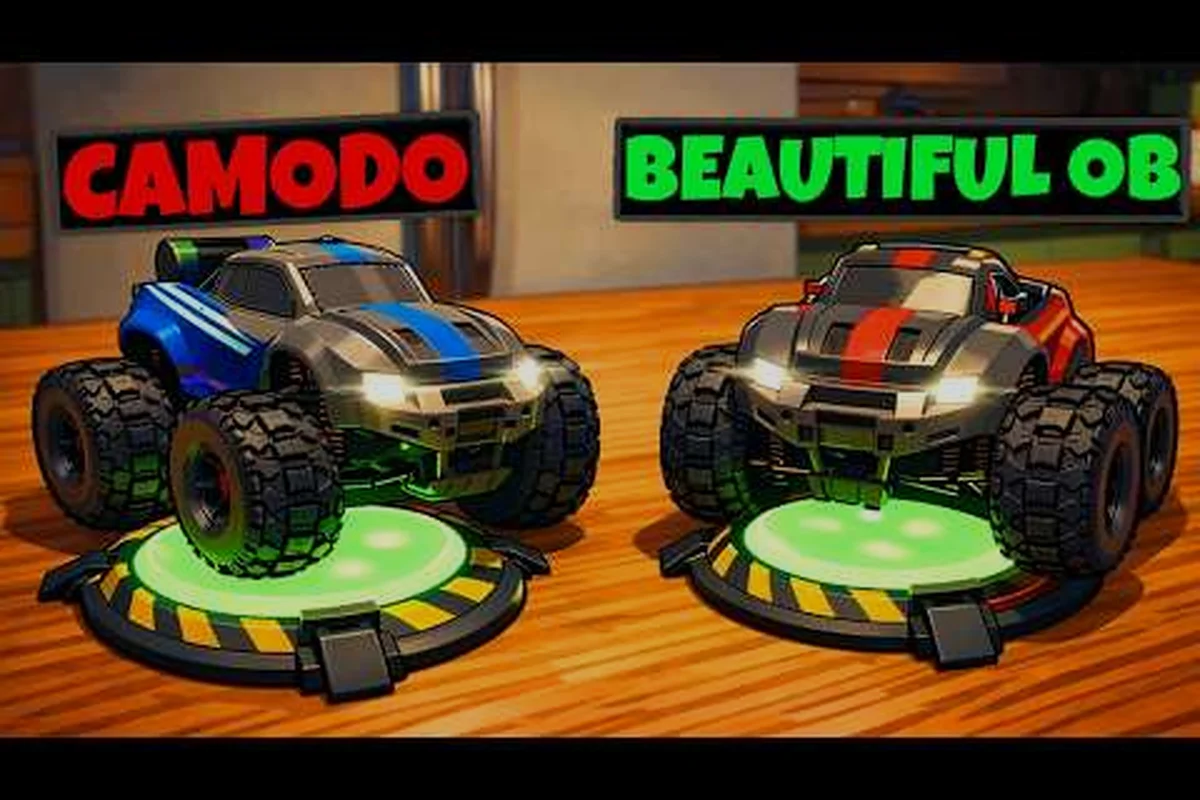
WheelMates es una aventura de conducción cooperativa para dos jugadores de Firevolt donde pilotas dos pequeños coches RC a través del laboratorio doméstico de un profesor, y una de las preguntas más comunes de los jugadores es si la cooperación con entrada mixta de WheelMates realmente funciona, es decir, si puedes conducir con teclado y ratón mientras tu compañero usa un mando, o si una Steam Deck se empareja con un PC de escritorio. Esa pregunta importa porque todo el juego está construido en torno al trabajo en equipo sincronizado, y la forma en que tú y tu compañero conectan la entrada cambia cómo abordáis cada rompecabezas. Esta guía cubre en detalle el soporte de entrada mixta, responde si WheelMates se puede jugar en solitario, compara el modo cooperativo con el de un jugador y explica el acceso gratuito del Pase de Amigo en Steam para que puedas elegir la configuración correcta antes del lanzamiento el 1 de septiembre de 2026.
Qué Significa la Cooperación con Entrada Mixta en WheelMates
Cuando los jugadores preguntan sobre la cooperación con entrada mixta, generalmente se refieren a una de dos cosas: una persona usando teclado y ratón mientras la otra usa un gamepad, o dos jugadores en hardware diferente como una Steam Deck y un PC de escritorio. WheelMates soporta ambos escenarios porque el juego está diseñado en torno a la cooperación local y la cooperación en línea en Steam, y el sistema de entrada trata cada coche RC como una entidad independiente en lugar de forzar a ambos jugadores a compartir el mismo esquema de control. La página de WheelMates en Steam confirma que el juego admite pantalla dividida, cooperación en línea y Steam Deck, lo que significa que las sesiones de entrada mixta están oficialmente soportadas en el lanzamiento.
La siguiente tabla desglosa las combinaciones de entrada que funcionan cuando el juego se lance:
| Configuración de Entrada | Jugador 1 | Jugador 2 | Mejor Para |
|---|---|---|---|
| Teclado + Mando | Teclado + Ratón | Gamepad | Sesiones mixtas de escritorio |
| Dos Mandos | Gamepad A | Gamepad B | Pantalla dividida en un PC |
| Steam Deck + PC | Steam Deck | PC + Gamepad | Sesiones de cooperación en línea |
| Dos Steam Decks | Deck A | Deck B | Juego portátil en cualquier lugar |
Combinaciones de Teclado y Ratón
El gadget Balanceo de Cuerda, que te permite engancharte a puntos de anclaje y balancearte sobre huecos, se siente ligeramente diferente según tu método de entrada. Los jugadores de teclado a menudo confían en toques rápidos y precisos para el tiempo, mientras que los usuarios de gamepad obtienen una dirección analógica más suave para el gadget Ruedas Magnéticas que te permite conducir por paredes y techos. Ambos enfoques funcionan, pero querrás asignar al jugador que prefiere la precisión al teclado y al jugador que le gusta el control fluido al gamepad, especialmente durante los rompecabezas de tiempo más exigentes que requieren balanceos repetidos.
Sesiones de Steam Deck y PC
WheelMates está verificado para Steam Deck, por lo que puedes emparejar una portátil con un escritorio para una sesión mixta. El jugador de Deck usa los controles integrados mientras que el jugador de PC puede usar cualquier combinación de teclado, ratón y gamepad. Debido a que el juego admite cooperación en línea, los dos dispositivos no necesitan estar en la misma red, lo que lo convierte en la forma más flexible de ejecutar una sesión cooperativa de entrada mixta. Los miembros de la comunidad en el Discord oficial de WheelMates informan que esta configuración funciona bien para sesiones a larga distancia, aunque se recomienda encarecidamente una conexión a internet estable.
¿Se Puede Jugar WheelMates en Solitario? Soporte para un Jugador
Sí, WheelMates se puede jugar en solitario, y esta es una de las preguntas más frecuentes porque el juego se comercializa como una aventura cooperativa. La respuesta corta es que controlas ambos coches RC y cambias entre ellos según lo requiera el rompecabezas. La respuesta larga implica cómo están ajustadas las mecánicas para un solo jugador, lo que afecta el ritmo y la dificultad de maneras que vale la pena entender antes de comprometerte con un modo.
Cómo Funciona el Juego en Solitario
En el modo en solitario, controlas ambos coches y cambias entre ellos cada vez que necesitas usar un gadget diferente. La herramienta Imán de Agarres, que te permite tirar y reposicionar objetos, se convierte en tu ayudante principal porque puedes posicionar un coche y luego cambiar al otro para completar la acción. El juego no añade un compañero IA, por lo que eres responsable de ambos vehículos en todo momento, lo que significa que pasarás más tiempo planeando tu próximo paso del que lo harías en cooperativo.
Cómo Funcionan los Gadgets en Solitario
| Gadget | Comportamiento en Solitario | Comportamiento Cooperativo |
|---|---|---|
| Balanceo de Cuerda | Cambia de coche para balancearte | Un jugador se balancea, el otro avanza |
| Ruedas Magnéticas | Conduce paredes solo | Divide tareas de pared y suelo |
| Imán de Agarres | Tira y cambia | Un jugador tira, uno agarra |
Los rompecabezas están diseñados en torno a los mismos tres gadgets, y la mayoría de ellos se pueden resolver con un solo jugador. Los rompecabezas cooperativos que requieren dos vehículos a la vez se simplifican o se les dan ventanas de tiempo alternativas en el modo en solitario. Los informes de la comunidad sugieren que el juego en solitario es completamente jugable y te permite recolectar cada Tarjeta SD y Pieza de Diario, pero añade aproximadamente un 20-30% más de tiempo a una partida completa debido al cambio constante. Si te quedas atascado en una habitación específica, la guía de soluciones de rompecabezas de WheelMates desglosa cada rompecabezas cooperativo y en solitario paso a paso.
WheelMates Cooperativo vs Un Jugador: Qué Modo te Conviene
Ahora que sabes que ambos modos existen, la verdadera pregunta es cuál se adapta a tu situación. La mayor diferencia es el ritmo: el cooperativo te permite dividir tareas entre dos jugadores, mientras que el solitario te obliga a manejar todo tú mismo. También hay diferencias en cómo progresas, cómo recolectas objetos y cómo experimentas la curva de dificultad, y esas diferencias importan más de lo que podrías esperar.
Progresión y Desbloqueos
En cooperativo, ambos jugadores comparten la misma progresión, y el Pase de Amigo permite que el compañero se una sin poseer el juego. En solitario, progresas por las mismas habitaciones y desbloqueas los mismos gadgets, pero manejas ambos coches tú mismo. Los coleccionables, incluidas las Tarjetas SD y Piezas de Diario ocultas, son idénticos en ambos modos, por lo que no te perderás ningún contenido jugando solo. Esto hace que el solitario sea una opción válida para los completistas que quieren verlo todo.
Dificultad y Ritmo
La diferencia de ritmo es el factor más importante. En cooperativo, puedes tener a un jugador enfocado en el Balanceo de Cuerda mientras el otro maneja el Imán de Agarres, lo que acelera significativamente los rompecabezas de varios pasos. En solitario, tienes que cambiar entre los dos coches, añadiendo unos segundos a cada rompecabezas. Las pruebas de la comunidad sugieren que el juego en solitario añade aproximadamente un 20-30% más de tiempo a una partida completa, dependiendo de lo cómodo que estés con la mecánica de cambio.
| Modo | Tiempo para Completar | Dificultad | Coleccionables |
|---|---|---|---|
| Solitario | Más largo | Moderada | Todos disponibles |
| Cooperativo | Más corto | Moderada | Todos disponibles |
Acceso Gratuito con el Pase de Amigo: Cómo Formar Equipo en Steam
El Pase de Amigo es la característica más importante para los jugadores cooperativos porque permite que un amigo se una al juego completo de forma gratuita. Según la página oficial de la tienda, el Pase de Amigo permite que un amigo se una al juego completo gratis, lo que significa que solo una persona necesita comprar el juego. Esto es un gran beneficio para la cooperación con entrada mixta de WheelMates, porque puedes invitar a un amigo que no posee el juego y jugar toda la aventura juntos sin ningún costo adicional.
Cómo Funciona el Pase de Amigo
El Pase de Amigo funciona a través de Steam, y el proceso es sencillo. El anfitrión necesita poseer el juego e iniciar una sesión cooperativa, luego invitar al amigo a través de la lista de amigos de Steam. El amigo descarga la versión gratuita del Pase de Amigo, que es una aplicación separada en la tienda, y se une a la sesión del anfitrión. Ambos jugadores necesitan tener el juego instalado, y el anfitrión necesita estar ejecutando una sesión cooperativa para que la invitación funcione.
| Paso | Acción | Quién lo Hace |
|---|---|---|
| 1 | Compra WheelMates en Steam | Anfitrión |
| 2 | Descarga la aplicación del Pase de Amigo | Amigo |
| 3 | Invita a través de la lista de amigos de Steam | Anfitrión |
| 4 | Únete a la sesión del anfitrión | Amigo |
| 5 | Juega el juego completo juntos | Ambos |
Pase de Amigo y Entrada Mixta
El Pase de Amigo funciona con la cooperación de entrada mixta, por lo que el anfitrión puede usar teclado y ratón mientras el amigo usa un mando, o el anfitrión puede estar en un PC mientras el amigo juega en una Steam Deck. Debido a que el juego admite cooperación en línea y pantalla dividida, el Pase de Amigo cubre ambos escenarios. Esta es la forma más rentable de experimentar la cooperación con entrada mixta de WheelMates, porque solo necesitas una copia del juego para dos jugadores. Para un desglose más profundo del proceso de invitación y los detalles entre dispositivos, consulta nuestra guía del Pase de Amigo de WheelMates.
Configuración y Solución de Problemas de la Cooperación con Entrada Mixta
Configurar la cooperación con entrada mixta suele ser sencillo, pero hay algunos problemas comunes que los jugadores reportan. El primero es que el juego no reconoce un segundo mando, y el segundo es que el jugador de Steam Deck no puede conectarse a la sesión del PC. Aquí están los problemas más comunes y las soluciones, basadas en informes recientes de la comunidad del foro de Steam y el Discord oficial.
Problemas Comunes de Entrada Mixta
Lo primero que debes verificar es que ambos dispositivos de entrada estén conectados antes de iniciar el juego. Si el mando no se detecta, reinicia el juego y conéctalo de nuevo. Para sesiones de Steam Deck y PC, asegúrate de que ambos dispositivos estén en la misma red y que el Pase de Amigo esté correctamente instalado. La cooperación en línea del juego requiere una conexión a internet estable, por lo que si tienes problemas de conexión, revisa la configuración de tu red y el firewall. Si no estás seguro de si tu PC puede manejar el juego, la guía de requisitos del sistema de WheelMates cubre las especificaciones recomendadas y el rendimiento en Steam Deck.
| Problema | Qué Verificar | Solución |
|---|---|---|
| Mando no detectado | Entrada no conectada | Reconectar y reiniciar |
| Steam Deck no puede conectar | Pase de Amigo no instalado | Instalar la versión gratuita |
| Caídas de conexión | Latencia de red | Usar una conexión por cable |
| Retraso de entrada | Alta latencia | Reducir la latencia o cambiar de servidor |
Consejos para una Sesión de Entrada Mixta Fluida
-
Asigna el Balanceo de Cuerda al jugador que prefiera la precisión en el tiempo, ya que requiere un tiempo cuidadoso.
-
Usa al jugador de Ruedas Magnéticas para la travesía por paredes y techos, porque la dirección analógica se siente más suave.
-
Configura el Imán de Agarres para el jugador que maneja el posicionamiento, ya que requiere ambos coches.
-
Habla sobre tu próximo movimiento antes de cambiar de gadgets, ya que el Imán de Agarres necesita que ambos jugadores se coordinen.
Puedes ver las mecánicas cooperativas en acción en el tráiler oficial de descripción general del juego WheelMates, que muestra los tres gadgets y la resolución de rompecabezas para dos jugadores en tiempo real.
Preguntas Frecuentes
¿Se puede jugar WheelMates en solitario?
Sí, WheelMates admite el juego en solitario. Controlas ambos coches RC y cambias entre ellos según lo requiera el rompecabezas. El juego no añade un compañero IA, por lo que manejas todas las acciones tú mismo. El juego en solitario es un poco más lento que el cooperativo, pero es completamente jugable y te permite recolectar todos los mismos objetos.
¿Tiene WheelMates un modo de un jugador?
Sí, WheelMates tiene un modo de un jugador. Puedes jugar a través de todo el laboratorio doméstico del profesor solo, usando los mismos gadgets y rompecabezas. El modo está diseñado para ser completamente jugable sin un compañero, y algunos rompecabezas cooperativos se simplifican para acomodar a los jugadores en solitario, por lo que no te quedarás atascado en un requisito de dos jugadores.
¿Qué es el Pase de Amigo y es gratuito?
El Pase de Amigo es gratuito. Permite que un amigo se una al juego completo sin comprarlo. El anfitrión necesita poseer el juego, y el amigo descarga la versión gratuita del Pase de Amigo en Steam. Esta es la forma más rentable de jugar en cooperativo con un amigo.
¿Se puede jugar WheelMates con cooperación de entrada mixta?
Sí, WheelMates admite la cooperación con entrada mixta. Puedes usar teclado y ratón, un mando o una Steam Deck emparejada con un PC. El juego trata cada coche RC de forma independiente, por lo que puedes mezclar y combinar dispositivos de entrada libremente sin ningún problema.