
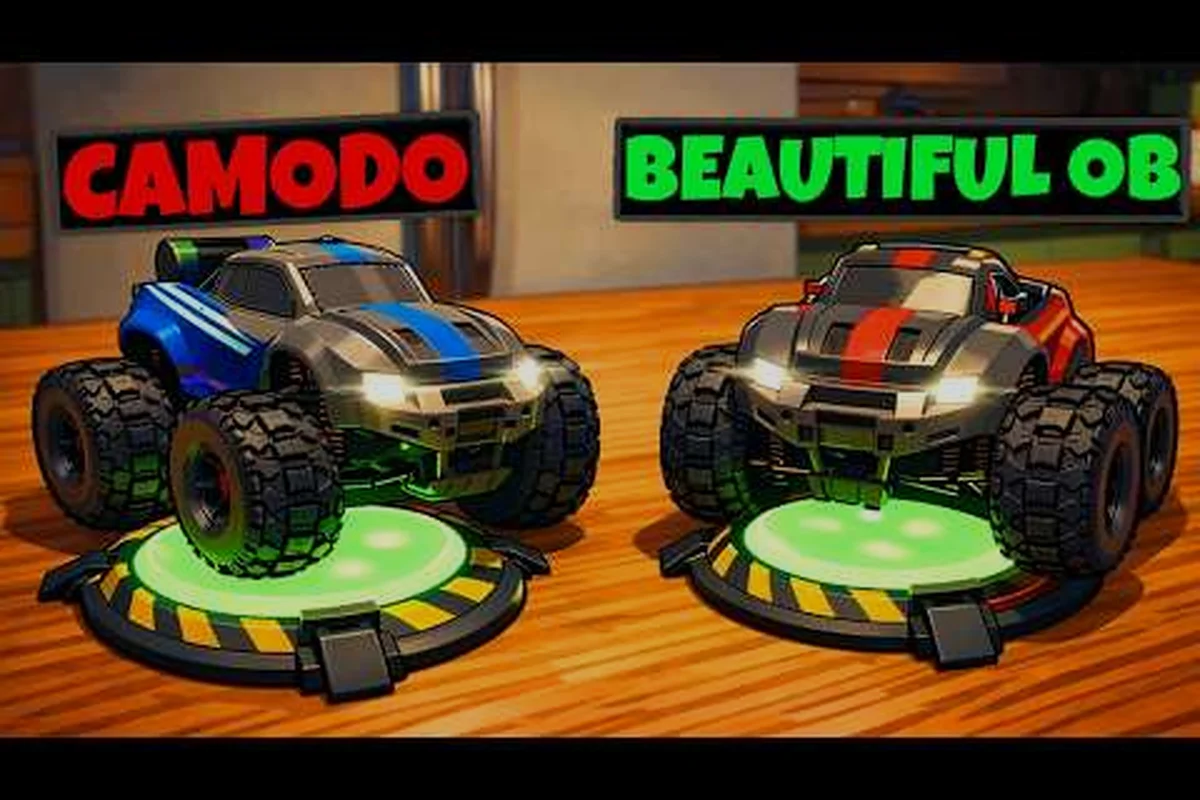
O co-op no mesmo sofá de WheelMates é a melhor forma de jogar esta aventura de carro de controle remoto com um casal. Lançado em 1º de setembro de 2026, o jogo foi construído em torno de dois jogadores compartilhando uma tela, um teclado ou dois controles. Como toda a campanha é projetada para dois motoristas, a experiência no mesmo sofá não é um recurso secundário — é o núcleo do jogo, e é por isso que ele se destaca como o melhor jogo co-op que 2026 tem para o modo local.
Por Que o Co-op no Mesmo Sofá de WheelMates É a Experiência Definitiva de Sofá
O co-op no mesmo sofá de WheelMates transforma a casa do professor em um playground de quebra-cabeças compartilhado, e funciona porque o jogo não apenas divide a tela — ele divide a resolução de problemas. Cada jogador controla um carro de controle remoto separado com seu próprio conjunto de gadgets, incluindo o Cabo de Corda, a Roda Magnética e o Ímã de Agarrar, e a maioria dos quebra-cabeças exige que os dois carros ajam juntos. Isso significa que a pessoa sentada ao seu lado é uma parceira ativa, não uma espectadora, e é exatamente por isso que o formato no mesmo sofá é tão gratificante.
O Trailer Oficial da Data de Lançamento de WheelMates confirma o lançamento em 1º de setembro e mostra os dois carros trabalhando em conjunto pela casa. Relatos da comunidade do teste fechado Backyard de 26 a 28 de junho, junto com as imagens de gameplay da demo de Camodo Gaming, destacam como a configuração na mesma tela cria tensão genuína — como um jogador segurando uma plataforma magnética enquanto o outro balança através de um vão.
-
Design verdadeiro de tela compartilhada: ambos os carros aparecem em uma única tela com uma câmera de acompanhamento, então você sempre sabe onde seu parceiro está.
-
Suporte a entrada mista: um jogador pode usar um teclado enquanto o outro pega um controle, eliminando a discussão de "quem fica com o bom controle".
-
Sem complexidade de tela dividida: a câmera mantém ambos os carros à vista, então você nunca perde o rastro do seu companheiro no meio de um quebra-cabeça.
É exatamente por isso que o co-op no mesmo sofá de WheelMates se destaca como o melhor jogo co-op que 2026 ofereceu para jogadores locais — ele recompensa a pessoa ao seu lado, não o amigo na sua lista.
Como Funciona o Co-op no Mesmo Sofá: Entradas, Telas e Configuração
Configurar o co-op no mesmo sofá de WheelMates é simples, mas as opções de entrada importam mais do que você imagina. O jogo suporta co-op com entrada mista, o que significa que o Jogador 1 pode usar teclado e mouse enquanto o Jogador 2 pega um controle, ou ambos os jogadores podem usar controles se você tiver dois. Essa flexibilidade é uma grande vitória para casais porque permite que cada pessoa jogue com a configuração com a qual se sente mais confortável, e também significa que você não precisa comprar hardware extra para começar.
| Configuração de Entrada | Jogador 1 | Jogador 2 | Melhor Para |
|---|---|---|---|
| Teclado + Controle | Teclado e Mouse | Qualquer Gamepad | Níveis de conforto mistos |
| Dois Controles | Gamepad A | Gamepad B | Conforto simétrico |
| Dois Teclados | WASD + Espaço | Setas + Shift | Sem controle disponível |
| Controle + Teclado | Gamepad | Teclado e Mouse | Preferências invertidas |
O sistema de câmera é a outra coisa que você precisa entender antes de começar. WheelMates usa uma câmera de acompanhamento que mantém ambos os carros no quadro, e você pode alternar para uma câmera livre para uma visão mais ampla do ambiente. De acordo com testes da comunidade na demo, o modo de câmera de acompanhamento funciona melhor para o jogo no mesmo sofá porque mantém ambos os carros na tela, enquanto a câmera livre é mais útil quando você está procurando Cartões SD escondidos ou planejando uma rota. Você também pode ajustar a sensibilidade da câmera e a sensibilidade da direção nas configurações para corresponder à preferência de cada jogador, o que é abordado em mais detalhes no guia de modos de jogo de WheelMates.
Combinações de Teclado e Controle
A configuração mais comum é um teclado e um controle, e funciona perfeitamente na demo. O Jogador 1 usa WASD e o botão principal do gadget, enquanto o Jogador 2 usa os analógicos do controle para movimento e os botões de face para seu gadget. Como o jogo atribui cada gadget a cada carro, o mapeamento de entrada permanece limpo — você nunca precisa se preocupar com ambos os jogadores acionando a mesma ação ao mesmo tempo.
Modos de Câmera para Dois Jogadores
Quando você está em uma única tela, a câmera de acompanhamento é a recomendação padrão porque mantém ambos os carros no quadro. A câmera livre é útil para explorar um ambiente antes de começar um quebra-cabeça, mas exige mais comunicação para acompanhar ambos os carros, então a maioria das equipes fica com o modo de acompanhamento durante a resolução ativa de quebra-cabeças.
Co-op de WheelMates para Casais: Papéis, Comunicação e Diversão
O co-op de WheelMates para casais é uma das razões mais convincentes para comprar o jogo. O design incentiva naturalmente a divisão de papéis — um jogador pode ser o "motorista" que cuida do impulso e da navegação, enquanto o outro se torna o "especialista em gadgets" que foca no tempo e no posicionamento. Essa divisão de trabalho espelha como muitos casais trabalham juntos na vida real, o que faz o jogo parecer menos um desafio e mais um projeto compartilhado.
| Papel | Gadget Principal | Melhor Para | Exemplo de Quebra-Cabeça |
|---|---|---|---|
| O Motorista | Roda Magnética | Navegação e impulso | Subindo uma parede para acionar um interruptor |
| O Especialista em Gadgets | Ímã de Agarrar | Precisão e tempo | Puxando uma caixa para a posição |
| O Mestre do Balanço | Cabo de Corda | Arcos e travessia de vãos | Balançando através de um vão largo |
| O Coordenador | Gadgets de Suporte | Comunicação e planejamento | Quebra-cabeças de interruptores em várias etapas |
Divisão de Papéis que Funciona
Os melhores casais começam dividindo os papéis com base nos pontos fortes. Se você é melhor em tempo, você cuida do Ímã de Agarrar; se seu parceiro é melhor em navegação, ele fica com a Roda Magnética. O jogo não força essa divisão, mas relatos da comunidade sugerem que equipes que dividem os papéis completam os quebra-cabeças mais rápido e com menos reinícios, especialmente nos ambientes posteriores.
Padrões de Comunicação para o Sucesso
Você vai querer estabelecer alguns avisos antes de começar. Dizer "estou no interruptor" ou "preciso que você segure a plataforma" é muito mais eficaz do que descrever o que você está fazendo no meio do quebra-cabeça. A orientação por voz integrada do jogo também ajuda porque lê os nós escaneáveis, então você não precisa ler cada prompt — o jogo faz isso por você, e isso libera você para focar na coordenação.
WheelMates como Jogo de Festa: Modos, Rotação e Jogo em Grupo
WheelMates como jogo de festa é uma escolha natural para noites de jogos, mesmo que o núcleo seja um co-op de dois jogadores. O truque é que você pode rotacionar os jogadores entre os ambientes, então cada dupla assume uma seção diferente da casa do professor. Como cada ambiente tem seus próprios quebra-cabeças e colecionáveis, você pode fazer um mini-torneio onde cada dupla tenta bater o tempo da equipe anterior ou encontrar mais Cartões SD.
| Modo de Festa | Como Funciona | Melhor Para |
|---|---|---|
| Revezamento de Ambientes | Cada dupla completa um ambiente e passa o controle | Grupos grandes |
| Caça à Velocidade | Cronometrar uma corrida completa por um ambiente | Jogadores competitivos |
| Caça a Colecionáveis | Cada dupla procura Cartões SD em um ambiente | Completistas |
| Troca de Gadgets | Cada dupla usa apenas um gadget | Níveis de habilidade mistos |
Os Cartões SD são um ótimo atrativo para festas porque estão escondidos em todos os ambientes, e o jogo acompanha seu progresso. Você pode fazer um jogo de "quem encontra mais cartões" a cada sessão, o que mantém a energia alta entre os ambientes. As Notícias de WheelMates no Steam confirmam que o jogo suporta o Passe de Amigo, que permite que um segundo jogador entre gratuitamente — isso é importante para noites de festa porque nem todo mundo precisa ter o jogo. Se você é novo no jogo, o guia para iniciantes de WheelMates cobre o básico da primeira hora para que você possa colocar todos em dia rapidamente.
Rotação para Grupos
Para grupos maiores que dois, a melhor abordagem é um revezamento de ambientes. A Dupla 1 completa um quebra-cabeça, a Dupla 2 procura Cartões SD, e a Dupla 3 tenta bater o tempo recorde. Isso mantém todos engajados e dá a cada dupla um objetivo diferente, o que é mais divertido do que apenas assistir outra pessoa jogar.
O Passe de Amigo para uma Festa
O Passe de Amigo é o melhor recurso de festa do jogo. Ele permite que um amigo entre na sua sessão gratuitamente, mesmo que não tenha o jogo, o que é perfeito para uma festa local onde nem todos compraram WheelMates. De acordo com o anúncio oficial no Steam, essa foi uma escolha de design deliberada para tornar a experiência co-op mais acessível a mais jogadores.
Co-op Online de WheelMates vs. Mesmo Sofá: Qual Se Adapta ao Seu Grupo
O co-op online de WheelMates é uma opção, mas não é o mesmo que a experiência no mesmo sofá. O jogo suporta co-op online através do Steam, mas o design é claramente construído em torno do jogo local — a tela compartilhada, a câmera de acompanhamento e a orientação por voz funcionam melhor quando você está sentado ao lado do seu parceiro. Dito isso, o co-op online ainda é valioso para jogadores que não podem se encontrar pessoalmente.
| Recurso | Mesmo Sofá | Co-op Online |
|---|---|---|
| Tela compartilhada | Sim, uma tela | Não, visões separadas |
| Entrada mista | Sim | Sim |
| Orientação por voz | Integrada | Integrada |
| Impacto de latência | Nenhum | Possível |
| Melhor para | Casais, festas | Amigos distantes |
A troca é que o co-op online introduz latência, o que pode afetar o tempo nos quebra-cabeças da Roda Magnética. De acordo com relatos da comunidade, o jogo lida com isso razoavelmente bem, mas a experiência no mesmo sofá é sempre mais suave porque não há atraso de rede. Se você está jogando com um amigo que mora longe, o co-op online é o caminho, mas se vocês estão no mesmo sofá, vocês estão tendo a melhor versão do jogo.
Quando o Co-op Online Faz Mais Sentido
O co-op online é a escolha certa quando você e seu parceiro estão em locais diferentes ou quando você quer jogar com um amigo que não tem o jogo. O Passe de Amigo funciona online também, então você pode convidar um amigo para sua sessão mesmo que ele não esteja no mesmo ambiente.
O Melhor dos Dois Mundos
Você pode realmente misturar os dois modos. Comece uma sessão no mesmo sofá, depois convide um amigo online para entrar, e você terá três jogadores na casa do professor — dois no sofá, um remoto. Essa é uma ótima maneira de incluir um amigo distante enquanto mantém a energia do co-op local, e funciona porque os sistemas de câmera e gadgets do jogo se adaptam para lidar com o jogador extra.
Perguntas Frequentes
Você pode jogar o co-op no mesmo sofá de WheelMates com um teclado?
Sim, você pode. O jogo suporta entrada mista onde o Jogador 1 usa WASD e Espaço enquanto o Jogador 2 usa as setas e um modificador como Shift. Isso funciona bem para os quebra-cabeças, embora um controle seja mais confortável para sessões mais longas porque dá um controle de câmera mais preciso.
O co-op no mesmo sofá de WheelMates é gratuito para o segundo jogador?
Sim, o Passe de Amigo permite que um segundo jogador entre gratuitamente, seja no mesmo sofá ou online. Você só precisa de uma cópia do jogo para jogarem juntos, o que é um ótimo valor para casais. O passe funciona tanto para sessões locais quanto online, então você sempre pode convidar um parceiro sem uma segunda compra.
Qual é o melhor jogo co-op para casais em 2026?
WheelMates é um forte candidato porque é um co-op dedicado de dois jogadores, não um jogo single-player com um modo co-op. O design de quebra-cabeças, a câmera compartilhada e a orientação por voz o tornam uma escolha natural para casais que querem jogar juntos, e o suporte a entrada mista remove a barreira de precisar de dois controles.
O co-op online de WheelMates tem os mesmos recursos?
Sim, o co-op online tem os mesmos gadgets e quebra-cabeças, mas o tempo pode ser afetado pela latência da rede. A experiência no mesmo sofá é mais suave porque não há atraso, mas o co-op online ainda é uma opção sólida para amigos distantes. Apenas esteja preparado para uma pequena diferença de tempo nos quebra-cabeças da Roda Magnética.
Quantos jogadores podem jogar WheelMates ao mesmo tempo?
O jogo principal é projetado para dois jogadores, mas você pode rotacionar jogadores para um jogo de festa. O Passe de Amigo também permite que um terceiro jogador entre em uma sessão, então os quebra-cabeças são ajustados para dois carros. Para grupos maiores, o modo de revezamento de ambientes mantém todos envolvidos na ação.