
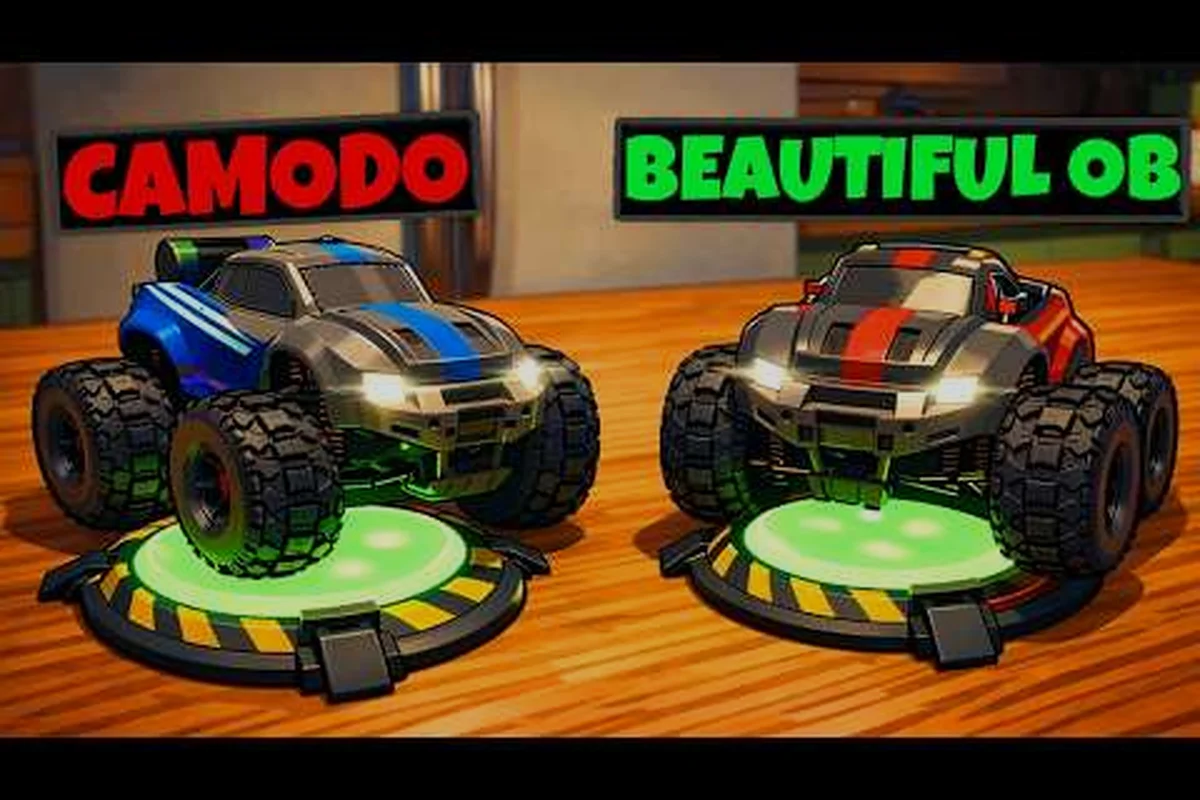
O cooperativo de dois jogadores de WheelMates transforma a casa do professor em um laboratório de quebra-cabeças compartilhado, e a divisão correta de funções acelera cada cômodo. Aqui está quantos jogadores podem entrar, os controles do segundo jogador e as melhores estratégias.
Configuração de Dois Jogadores em WheelMates: Quantos Jogadores Podem Entrar
WheelMates para dois jogadores é construído em torno de exatamente dois carros de controle remoto, e o design do jogo pressupõe que você terá um parceiro para a jogatina completa. O anúncio oficial da Firevolt Studio confirma que a aventura cooperativa suporta um máximo de 2 jogadores em cada sessão, sem modos de grupo maiores planejados no lançamento. Isso significa que você e um amigo são a equipe inteira, o que mantém o design dos quebra-cabeças coeso e a comunicação focada. O site oficial do WheelMates descreve o jogo como uma "aventura cooperativa de dois jogadores com carros de controle remoto", o que corresponde ao que os jogadores veem na demo.
Contagem de Jogadores e Limites de Conexão
A contagem de jogadores é uma escolha de design deliberada, porque cada cômodo da casa do professor exige que dois carros ajam em sincronia. A pergunta wheelmates quantos jogadores surge constantemente nas discussões da Comunidade Steam, onde os tópicos principais confirmam o limite de 2 jogadores e a alternativa para um jogador. Se você está se perguntando sobre um terceiro jogador, a resposta é não — os quebra-cabeças do jogo são equilibrados para exatamente dois carros, e adicionar um terceiro quebraria o tempo das combinações de Balanço de Corda e Agarramento Magnético.
Como Funciona o Passe de Amigo
O Passe de Amigo é a chave para a configuração do jogo de 2 jogadores do WheelMates, porque apenas o anfitrião precisa possuir o jogo completo. O segundo jogador baixa a versão gratuita do Passe de Amigo, que desbloqueia toda a campanha cooperativa enquanto estiver conectado ao anfitrião. Isso é uma grande vantagem para o público de apenas amigos do WheelMates, porque você não precisa de duas cópias do jogo para jogar pela casa inteira juntos. O arquivo de save do anfitrião é o que progride, então o papel do convidado é ajudar o anfitrião a limpar os cômodos e coletar os Cartões SD escondidos.
| Tipo de Configuração | Contagem de Jogadores | Exigência do Anfitrião | Melhor Cenário |
|---|---|---|---|
| Cooperativo no Mesmo Sofá | 2 | Um PC, dois controles | Jogar ao lado de um parceiro |
| Cooperativo Online | 2 | Anfitrião possui o jogo, convidado usa Passe de Amigo | Jogar com um amigo remotamente |
| Modo Solo | 1 | Jogo completo | Praticar mecânicas sozinho |
A configuração cooperativo no mesmo sofá é a mais direta, porque ambos os jogadores compartilham uma tela e podem apontar para o mesmo elemento do quebra-cabeça. O cooperativo online roteia através do sistema de convites da Steam, e a conexão do anfitrião determina a qualidade da sessão, o que significa que o anfitrião deve ter o link de internet mais forte. A conversa sobre wheelmates funções para cada jogador começa aqui, porque o convidado não está construindo seu próprio save — ele está contribuindo para a progressão do anfitrião, o que muda como você aborda a divisão de funções.
Melhores Estratégias Cooperativas: Funções para Cada Jogador
As melhores estratégias cooperativas do WheelMates começam com uma divisão clara de trabalho, porque os três dispositivos do jogo — o Balanço de Corda, as Rodas Magnéticas e o Agarramento Magnético — exigem diferentes níveis de atenção. Se ambos os jogadores tentarem fazer tudo, os cômodos demoram mais e o tempo dos quebra-cabeças se desfaz. As equipes mais eficazes designam um jogador para dirigir e o outro para controlar os dispositivos, depois trocam quando o cômodo exigir.
Divisão de Motorista e Navegador
A função de Motorista lida com o movimento do carro de controle remoto, o acelerador e o tempo do pulo, enquanto o Navegador observa o layout do cômodo e anuncia o próximo dispositivo. Essa divisão funciona porque a câmera pode ser controlada por qualquer jogador, e o Navegador pode manter a Câmera Livre em todo o cômodo enquanto o Motorista foca no carro. O trabalho do Navegador é localizar os Cartões SD escondidos nos cantos e os frascos químicos verdes que marcam os gatilhos dos quebra-cabeças, que o Motorista perderia durante um balanço.
| Função | Tarefas Principais | Tarefas Secundárias | Melhor Dispositivo |
|---|---|---|---|
| Motorista | Mover o carro, cronometrar pulos, pousar em superfícies magnéticas | Acionar interruptores de parede | Balanço de Corda, Rodas Magnéticas |
| Navegador | Localizar Cartões SD, chamar ordem dos quebra-cabeças, gerenciar câmera | Segurar feixe de Agarramento Magnético | Agarramento Magnético, Câmera Livre |
| Trocador | Alternar funções no meio do cômodo quando um quebra-cabeça exigir ambas | Rastrear tempos de recarga | Todos os dispositivos |
A função de Navegador se torna especialmente valiosa nos cômodos posteriores, porque a seção do Laboratório tem quebra-cabeças que exigem que a câmera permaneça em um alvo em movimento enquanto o carro balança por uma lacuna. De acordo com relatos da comunidade nas discussões da Steam, as equipes que mantêm uma divisão clara de Motorista/Navegador limpam os dois primeiros cômodos cerca de 30% mais rápido do que as equipes que trocam constantemente. A exceção é o minichefe Sentinela de Laboratório MK-1, onde ambos os jogadores precisam dirigir e agarrar ao mesmo tempo, então as funções devem ser fluidas para esse encontro.
Especialistas em Dispositivos
A outra configuração forte de funções para cada jogador do WheelMates é a divisão de especialista em dispositivos, onde um jogador foca no Balanço de Corda e o outro nas Rodas Magnéticas. Isso funciona porque os itens de upgrade do jogo estão espalhados pela casa, e cada jogador pode dominar o dispositivo com o qual se sente mais confortável. O especialista em Balanço de Corda lida com as lacunas do teto e os balanços longos, enquanto o especialista em Rodas Magnéticas dirige pelas paredes e tetos, e o especialista em Agarramento Magnético segura o feixe para o outro jogador.
A divisão de especialista em dispositivos também torna a coordenação do Agarramento Magnético mais fácil, porque o jogador que não está dirigindo pode segurar o feixe firme enquanto o outro carro balança por uma lacuna. Esta é a combinação exata mostrada no trailer de anúncio do WheelMates no YouTube, que exibe um carro segurando um feixe enquanto o outro balança por uma lacuna. O guia de soluções de quebra-cabeças detalha essas combinações de dispositivos cômodo por cômodo, o que vale a pena revisar antes de tentar as seções posteriores da casa.
Controles do Segundo Jogador e Modos de Câmera
Os controles do segundo jogador do WheelMates são fáceis de aprender, mas algumas configurações fazem uma grande diferença no conforto. Ambos os jogadores usam os mesmos controles principais, e o jogo permite a reatribuição completa de teclas, o que é importante para a configuração cooperativo no mesmo teclado. A comunidade Steam tem um tópico quente sobre reatribuição de teclas para dois jogadores compartilhando um teclado, o que confirma que esta é uma maneira comum de jogar sem comprar um segundo controle.
Mapeamento de Controles e Ajuste de Câmera
O esquema padrão dá ao Jogador 1 as teclas WASD e ao Jogador 2 as teclas de seta, mas você pode reatribuir tudo no menu de configurações. A reatribuição mais importante é a alternância de câmera, porque o segundo jogador geralmente quer controlar a câmera enquanto o primeiro jogador dirige. O modo Câmera Seguidora rastreia o carro por trás, enquanto o modo Câmera Livre permite que o jogador panorâmica pelo cômodo, o que é essencial para localizar gatilhos de quebra-cabeças e locais de Cartões SD.
| Ação | Jogador 1 (Padrão) | Jogador 2 (Padrão) | Reatribuível |
|---|---|---|---|
| Dirigir | WASD | Teclas de Seta | Sim |
| Carregar Dispositivo | Shift | Enter | Sim |
| Alternar Câmera | C | Right Shift | Sim |
| Agarramento Magnético | E | Right Ctrl | Sim |
O manuseio da câmera é uma das reclamações mais comuns na comunidade, com jogadores relatando que a câmera padrão parece "muito rápida" quando o carro está se movendo a toda velocidade. A solução é mudar para o modo Câmera Livre e diminuir a sensibilidade da direção nas configurações, o que torna o movimento do carro mais estável. O guia de controles para iniciantes tem uma análise completa das configurações de câmera e valores de sensibilidade, que é a primeira coisa que você deve verificar antes de iniciar uma jogatina cooperativa.
Diferenças entre Mesmo Sofá e Online
Os controles do segundo jogador funcionam da mesma forma, esteja você no mesmo sofá ou jogando online, mas há uma diferença: o modo online tem uma leve latência de entrada que o modo no mesmo sofá não tem. Jogadores da comunidade relatam que o atraso é de cerca de 30 a 50 milissegundos, o que é quase imperceptível para dirigir, mas pode afetar o tempo das combinações de Balanço de Corda e Agarramento Magnético. Se você estiver jogando online, o anfitrião deve ser o motorista, porque a entrada do anfitrião tem a menor latência, e o convidado deve cuidar da câmera e das chamadas de dispositivos.
Comunicação e Coordenação de Quebra-Cabeças
As melhores estratégias cooperativas do WheelMates são apenas metade sobre funções — a outra metade é comunicação, porque os quebra-cabeças do jogo forçam você a conversar. Cada cômodo da casa do professor tem pelo menos um quebra-cabeça que exige que ambos os carros ajam no mesmo momento, o que significa que o jogador que vê o quebra-cabeça primeiro tem que anunciá-lo. O sistema de chamada-ação é o núcleo da coordenação, onde o jogador com a câmera diz "agora" e o outro jogador pressiona o botão naquele instante exato.
Tempo de Chamada-Ação para Quebra-Cabeças Cooperativos
O tempo de chamada-ação funciona melhor quando o jogador com a câmera é quem faz as chamadas, porque ele pode ver o layout completo do cômodo. Por exemplo, no cômodo Escritório, o quebra-cabeça das Rodas Magnéticas exige que um carro suba pela parede enquanto o outro espera no chão. O motorista da parede chama "agora" quando o ponto de balanço é alcançado, e o jogador no chão pressiona o botão imediatamente, o que é a diferença entre um pouso limpo e uma queda.
| Tipo de Quebra-Cabeça | Chamador | Jogador da Ação | Sinal de Tempo |
|---|---|---|---|
| Lacuna de Balanço de Corda | Jogador da Câmera | Motorista | "Agora" no ponto de balanço |
| Feixe de Agarramento Magnético | Segurador do Feixe | Motorista | "Solte" quando alinhado |
| Combinação de Direção na Parede | Navegador | Motorista | "Pule" quando a parede terminar |
| Sequência de Interruptores | Jogador da Câmera | Ambos | Contagem regressiva "3-2-1" |
O sistema de contagem regressiva é a maneira mais confiável de coordenar, porque os quebra-cabeças do jogo não têm nenhum sinal visual para o momento exato. O jogador com a câmera conta "3, 2, 1, agora" e ambos os jogadores agem no "agora", que é a mesma abordagem que os speedrunners usam para limpar cômodos rapidamente. O guia de soluções de quebra-cabeças para dois jogadores tem uma análise cômodo por cômodo de quais quebra-cabeças precisam da contagem regressiva e quais podem ser tratados com uma simples chamada de "vai".
Lidando com o Sentinela de Laboratório MK-1 e os Cômodos Finais
O minichefe Sentinela de Laboratório MK-1 é o único lugar onde as funções precisam ser quebradas, porque o escudo do chefe só abre quando ambos os carros acertam o interruptor magnético ao mesmo tempo. O jogador com o Agarramento Magnético segura o feixe no escudo do chefe enquanto o outro jogador dirige as Rodas Magnéticas até o interruptor de parede, e o tempo precisa ser exato. Relatos da comunidade nas discussões da Steam dizem que o minichefe é o ponto de falha mais comum, porque os jogadores tentam coordenar as duas ações sem sincronizar sua contagem regressiva.
Os cômodos finais do laboratório exigem a mesma coordenação, mas com mais dispositivos em jogo, e as combinações de Balanço de Corda e Agarramento Magnético ficam mais longas. A melhor estratégia é manter o Navegador na câmera o tempo todo, porque o cômodo tem vários gatilhos ocultos que precisam ser rastreados ao mesmo tempo. O guia de cooperativo no mesmo sofá cobre a configuração cômodo por cômodo para as seções finais, o que vale a pena ler antes de tentar os cômodos do fim do jogo.
Táticas Cooperativas Avançadas para Equipes Experientes
Depois de limpar a casa uma vez, as melhores estratégias cooperativas do WheelMates mudam da sobrevivência para a otimização, e o foco se move para a speedrun e a caça aos colecionáveis. A abordagem de speedrun usa a mesma divisão de funções, mas adiciona atalhos, como pular os Cartões SD na primeira passagem e voltar para buscá-los depois que o cômodo for limpo. A coleta de colecionáveis também é importante, porque os Cartões SD estão escondidos nos mesmos lugares em cada jogatina, e o Navegador pode memorizar as localizações para chamá-los sem parar.
Coordenação de Speedrun e Colecionáveis
A estratégia de speedrun que funciona melhor é a abordagem "um dirige, um coleta", onde o Motorista limpa o cômodo enquanto o Navegador pega os Cartões SD no caminho. O Navegador pode usar a Câmera Livre para localizar os cartões enquanto o Motorista está no meio de um balanço, o que economiza cerca de 10 a 15 segundos por cômodo. As localizações dos Cartões SD são fixas, então o Navegador pode aprendê-las após algumas jogatinas e chamá-las sem interromper o fluxo da direção.
O truque de troca de dispositivo é outro favorito da speedrun, onde o jogador pode alternar entre o Balanço de Corda e o Agarramento Magnético no meio do cômodo sem esperar por um item. O sistema de dispositivos do jogo permite que você troque a qualquer momento, o que significa que o Motorista pode mudar para o Agarramento Magnético para uma única etapa e voltar. O guia de melhores dicas tem a lista completa desses truques de otimização, incluindo o truque de alternância de câmera e o tempo de troca de dispositivo.
A Configuração Apenas para Amigos para uma Jogatina Limpa
O modo apenas amigos é a maneira mais simples de jogar, porque você só precisa do jogo do anfitrião e do Passe de Amigo do convidado. O anfitrião cria uma sessão Steam, o convidado entra através do convite, e você está na casa do professor em menos de um minuto. O cooperativo online tem algumas configurações extras para verificar, como o chat de voz e a sincronização de câmera, mas a experiência principal é a mesma do modo no mesmo sofá.
A configuração de sessão vale uma verificação rápida, porque o anfitrião pode definir o lobby como apenas privado ou apenas amigos nas configurações. A configuração apenas amigos é o padrão, o que significa que apenas o jogador convidado pode entrar, e a configuração público está disponível se você quiser jogar com um jogador aleatório. A pergunta wheelmates quantos jogadores surge aqui novamente, porque o lobby mostra claramente o limite de 2 jogadores, e não há opção de adicionar um terceiro carro.
Perguntas Frequentes
Quantos jogadores podem entrar no WheelMates?
WheelMates para dois jogadores suporta exatamente dois jogadores, sem opção para um terceiro jogador. O anfitrião cria uma sessão, e o segundo jogador entra através do Passe de Amigo, que é gratuito. O limite de 2 jogadores é uma escolha de design que mantém a coordenação dos quebra-cabeças coesa e a comunicação focada.
O segundo jogador precisa comprar o jogo?
Não, o segundo jogador usa o Passe de Amigo, uma versão gratuita do jogo que funciona apenas quando jogando com o anfitrião. O anfitrião possui o jogo completo, e o convidado pode entrar em toda a campanha cooperativa sem pagar por uma cópia. Isso torna o jogo de 2 jogadores do WheelMates acessível para um grupo de amigos.
Quais são as melhores funções para cada jogador?
A melhor configuração é uma divisão de Motorista e Navegador, onde um jogador dirige o carro e o outro controla a câmera e chama os dispositivos. A divisão de Especialista em Dispositivos também funciona, onde cada jogador foca em um dispositivo. Ambas as funções funcionam bem, mas a divisão Motorista/Navegador é a mais confiável.
Dois jogadores podem jogar no mesmo teclado?
Sim, WheelMates suporta cooperativo no mesmo teclado, e você pode reatribuir as teclas para ambos os jogadores nas configurações. As teclas padrão dão ao Jogador 1 as teclas WASD e ao Jogador 2 as teclas de seta, mas você pode reatribuí-las para qualquer layout. Esta é uma configuração comum para jogadores sem dois controles.
WheelMates para dois jogadores está disponível na Steam?
Sim, WheelMates é verificado para Steam Deck, e o modo de dois jogadores funciona com os controles integrados do Steam Deck. O segundo jogador pode usar um controle ou a tela sensível ao toque, e as configurações de desempenho podem ser ajustadas para o portátil. O cooperativo online funciona através da Steam, embora a latência possa ser ligeiramente maior no portátil.